




It’s time to reveal the solution—and the winner—for this month’s InDesignSecrets contest!
Here’s the scenario:
You a receive a layout file for a long document set up with facing pages. You open the Pages panel and see that several spreads have the page numbers separated by commas instead of dashes.
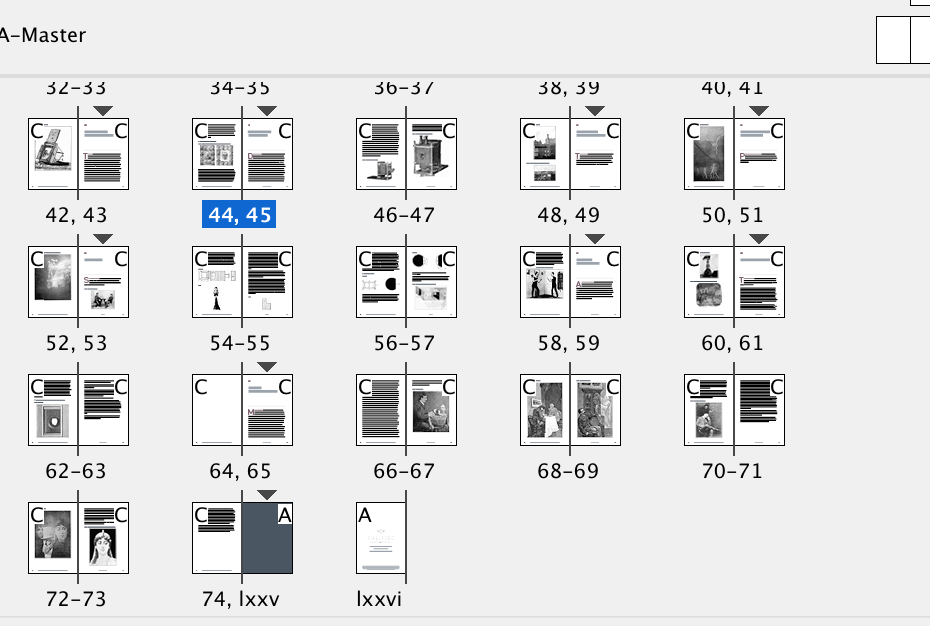
Why are some page numbers separated by commas?
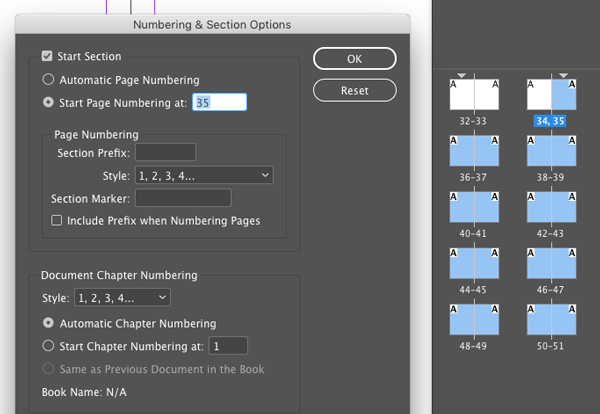
Solution: The commas indicate section starts. You can use section starts to change the value or style of page numbering, or to add section markers to the pages.
And the winner of this contest is…
Mike Demaine
Mike wins 3 months access to videos of any 2 days of CreativePro Week 2017.
Thanks to everyone who entered, and be on the lookout for another contest with a new great prize next month!
This article was last modified on July 25, 2019
This article was first published on September 28, 2017
Commenting is easier and faster when you're logged in!

Recommended for you

Editor’s Picks for The Design + Marketing Summit 2026
Our Editor in Chief lists his must-see sessions for The Design + Marketing Summi...
How to Start an InDesign Document on a Left-hand Page
Start your InDesign document on a left-hand page using one of Khara’s easy tips.

10 Terrific Time Savers for InDesign
Life is busy. Work is hard. Use these tips to get more done faster.