




At the Seattle InDesign User group last week, someone asked me how to rotate text inside a frame. I knew the answer… I just couldn’t move it from the back of my brain to the front of my brain. Fortunately, I rediscovered the answer when I got home, so here it is for him… and you!
Note that this trick is courtesy of Ashley Mitchell at Adobe, who told Tim Cole, who wrote it up in this PDF. But it’s hard to find PDFs on our site right now, so I’m writing it up here.
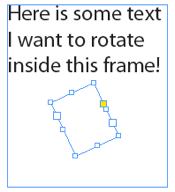
Start by placing a rotated text frame over the text frame you already have (the one with the text in it). Ensure this frame is smaller than the original. The text frame should be rotated the same angle as you want the text to be rotated, of course:
Now cut the text from the original frame into the new frame:
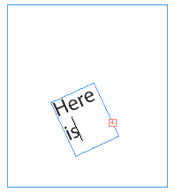
Finally, select both text frames with the Selection tool and choose Object > Pathfinder > Add:
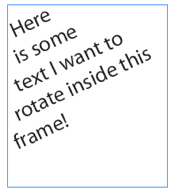
See, that wasn’t hard, was it?
This article was last modified on December 20, 2021
This article was first published on January 17, 2011
Commenting is easier and faster when you're logged in!

Recommended for you
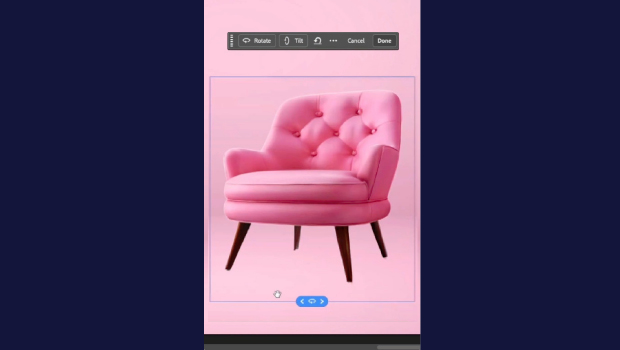
Rotate Flat Elements in 3D Space in Photoshop
Khara Plicanic demonstrates how to take a flat photo element and rotate and tilt...

Free Webinar: Animate Your Marketing Graphics with Photoshop
Learn how to create eye-catching animated GIFs, motion graphics, and simple vide...

How to Turn a Photo into Graffiti in Photoshop
Create a spray-painted masterpiece in Photoshop with Steve Caplin.