




Adobe Configurator is an Adobe AIR?based application that allows you to create custom panels for the soon-to-be-released Adobe Photoshop CS4. These custom panels can contain just the Photoshop tools, commands, actions, scripts, and widgets that you need for a particular workflow or set of tasks. You can share them with anyone by using Adobe Extension Manager CS4.
You will be able to download Adobe Configurator from the Adobe Labs web site in late October.
Photoshop CS4 installs AIR by default. If you don’t have AIR installed, go to https://get.adobe.com/air.
Installing Adobe Configurator 1.0 is easy:
1. Double?click Configurator.air to open the installer.
2. Click Install when asked if you’re sure you want to install ConfiguratorAIR.
3. By default, ConfiguratorAIR installs in the Applications (Mac OS) or Program Files (Windows) folder on your hard drive. If this is OK, click Continue. Otherwise, click the folder button to choose a different location. Then, click Continue.
When the install process is complete, Adobe Configurator 1.0 opens automatically. Onscreen instructions provide an overview of how to create panel configurations.
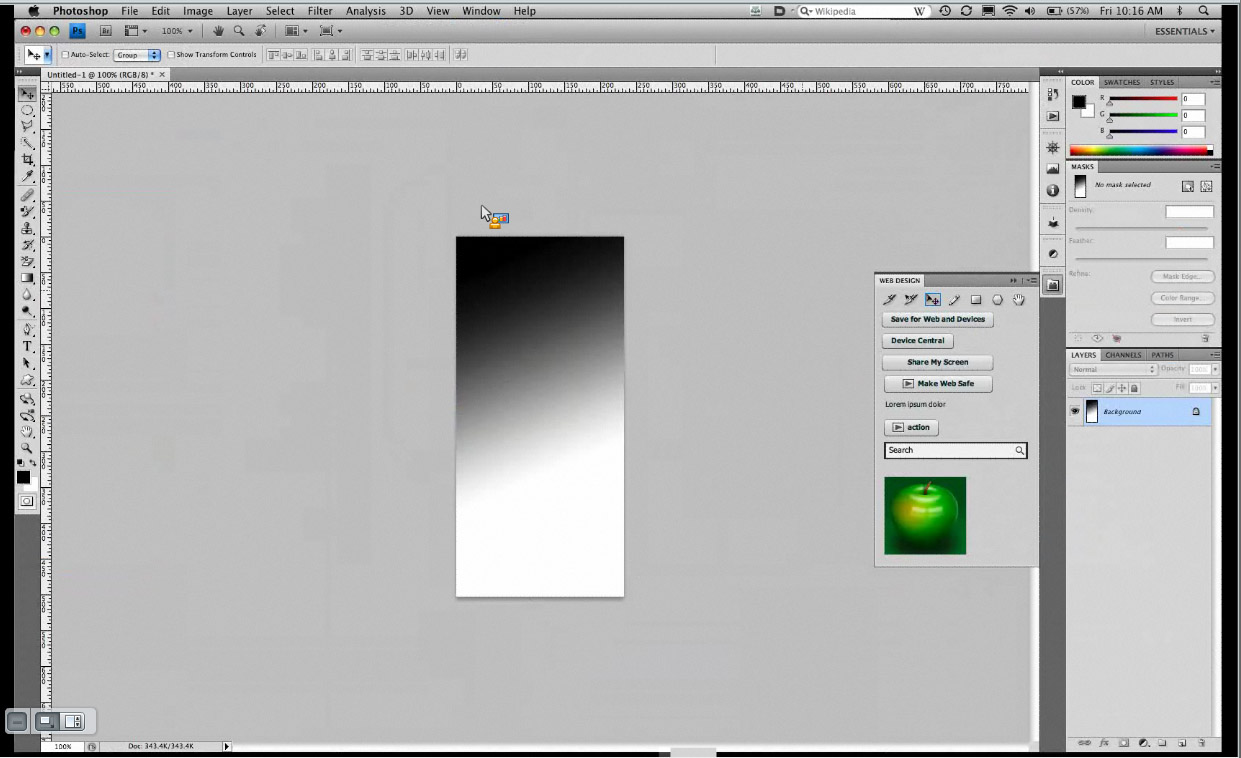
The “Web Design” panel with the green apple image was custom-created using Configurator. Click on the image to see a larger version of this image.
This article was last modified on December 17, 2022
This article was first published on October 6, 2008
Commenting is easier and faster when you're logged in!

Recommended for you
Rotate Flat Elements in 3D Space in Photoshop
Khara Plicanic demonstrates how to take a flat photo element and rotate and tilt...
Quickly Create Text in an Arc or Circle in Photoshop
Khara Plicanic reveals new options in Photoshop for putting text in an arc or a...
Use Bridge to Find and View All Linked Assets in an InDesign File
Quickly find and collect every linked asset in your InDesign project using this...