








Please note: This article links to resources hosted on external Web sites outside of the control of development.creativepro.com. At any time those Web sites may close down, change their site or permalink structures, remove content, or take other actions that may render one or more of the above links invalid. As such neither Pariah S. Burke nor development.creativepro.com can guarantee the availability of the third-party resources linked to in this article.

Pariah S. Burke is a design, publishing, and digital & epublishing workflow expert and consultant bringing creative efficiency into studios, agencies, and publications around the world. He is the author of ePublishing with InDesign CS6, Mastering InDesign for Print Design and Production, and other books for professionals with jobs to do on InDesign, Creative Suite, Adobe Illustrator, QuarkXPress, and digital publishing; author of more than 450 published tutorials and articles; co-author of the InDesign and Illustrator Adobe Certified Expert exams; an Adobe Community Professional; the former trainer and technical lead for InDesign, InCopy, Illustrator, Photoshop, and Acrobat to Adobe’s own technical support team; the host of a series of digital publishing, epub, and the business of design Webinars; a freelance graphic designer and publisher with more than 20 years’ experience; a WordPress and social media evangelist; and the publisher of a network of Websites, communities, and tools for creative professionals, the Workflow: Network.
This article was last modified on July 7, 2023
This article was first published on September 11, 2012
Commenting is easier and faster when you're logged in!

Recommended for you
A Script to Round off Size and Position Values in InDesign
Instantly clean up "messy" values by rounding them off to the nearest whole poin...

Free Webinar: Visualize Ideas Faster with Adobe Firefly Boards
Learn how Adobe Firefly Boards can help you brainstorm, organize ideas, and expl...
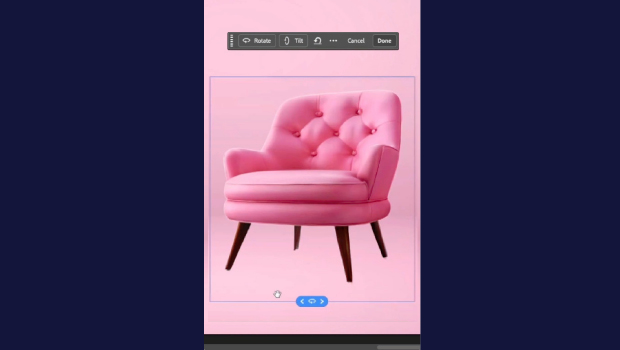
Rotate Flat Elements in 3D Space in Photoshop
Khara Plicanic demonstrates how to take a flat photo element and rotate and tilt...