




When the iPad first came out, two photographers I know tried it, didn’t like it, and handed it right back to Apple. But another photographer (Jennifer Wills, also an occasional development.creativepro.com author) tried it and fell in love. Not only was the iPad much easier to take anywhere—from the boardroom to the beach—but her photos looked so damn good on it! Many photographers since have agreed.
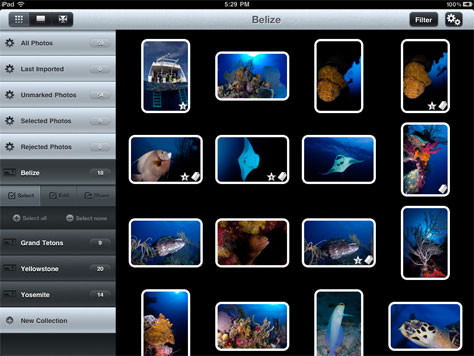
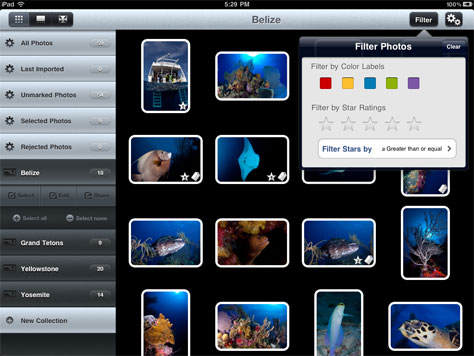
Now there’s an iPad app made especially for serious shutterbugs on the go. Photosmith lets you manage the images on your iPad. You can review your collection, sort it, rate individual photos, and assign metadata to them. And here’s the best part: All of the work you do in Photosmith travels easily into Adobe Lightroom when you import those photos. The app developers have worked closely with Adobe to make sure of that.
If you use Lightroom and want to work on your images in the field, give Photosmith a try. It’s $17.99 on Apple’s App Store.
This article was last modified on December 14, 2022
This article was first published on April 29, 2011
Commenting is easier and faster when you're logged in!

Recommended for you

How to Adjust Colors in Photoshop Using Hue and Saturation
Learn how to manipulate an image’s colors using Photoshop’s Hue and Saturation s...

How to Adjust Colors Using Photoshop’s Contextual Task Bar
Learn how to use the Photoshop Adjust Colors feature to make quick, non-destruct...

Using Photoshop’s Generative Fill to Remove Objects
Learn how to simply remove items from an image in Photoshop, without extra conte...