




This InDesign tip on How to Instantly Switch a Swatch’s Color Mode was sent to Tip of the Week email subscribers on July 20, 2017.

Sign up now and every week you’ll get a new tip, keyboard shortcut, and roundups of new articles, plus exclusive deals sent right to your Inbox!
Just scroll down to the bottom of this page, enter your email address, and click Go! We’ll take care of the rest. Now, on with the tip!
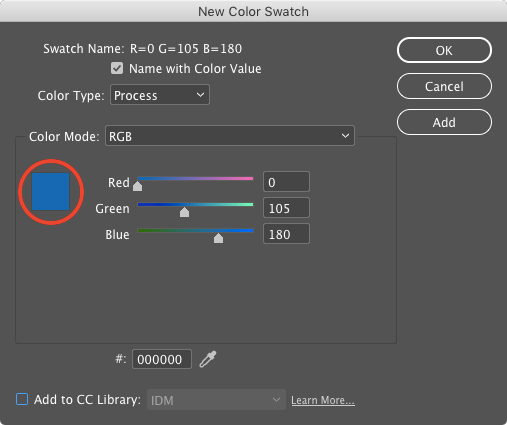
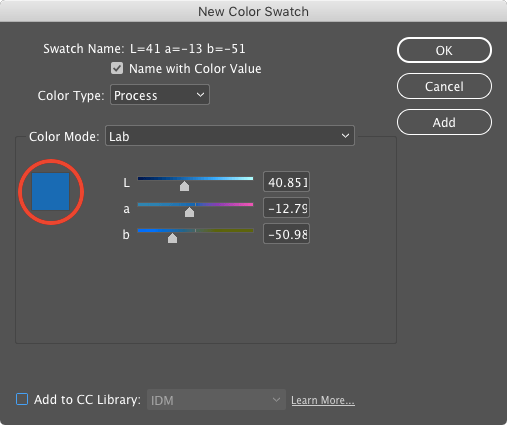
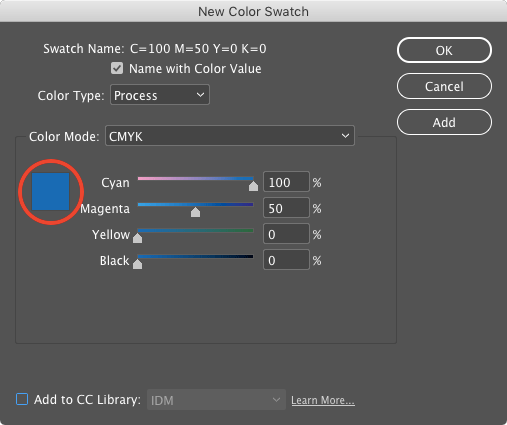
When creating or editing a swatch, the fastest way to change the color mode is to Shift-click on the square color proxy. This cycles through RGB, CMYK, and LAB modes.
This article was last modified on July 25, 2019
This article was first published on July 25, 2017
Commenting is easier and faster when you're logged in!

Recommended for you


The 5 Rules of Efficiency for InDesign
You'll rake in the efficiency jackpot every time with these five basic rules.
How to Change Text Color Inside Multiple InDesign Table Cells
Use this Type tool trick to change the color of the text in multiple table cells...