




This InDesign tip on breaking words with discretionary hyphens was sent to Tip of the Week email subscribers on October 19, 2017.

Sign up now and every week you’ll get a new tip, keyboard shortcut, and roundups of new articles, plus exclusive deals sent right to your Inbox!
Just scroll down to the bottom of this page, enter your email address, and click Go! We’ll take care of the rest. Now, on with the tip!
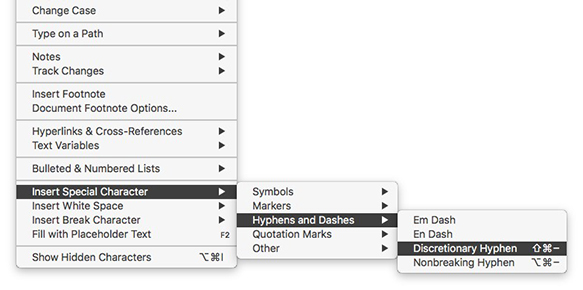
To manually break a word at the end of a line, you can use a discretionary hyphen. Put your cursor where you want to break the word.

Then choose Type > Insert Special Character > Hyphens and Dashes > Discretionary Hyphen or Command/Ctrl+Shift+-(Hyphen).

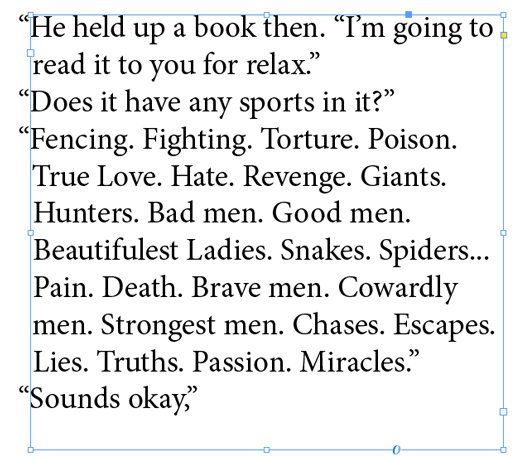
If type should reflow so the word is no longer at a line ending, the discretionary hyphen disappears.
This article was last modified on July 25, 2019
This article was first published on October 24, 2017
Commenting is easier and faster when you're logged in!

Recommended for you

10 Terrific Time Savers for InDesign
Life is busy. Work is hard. Use these tips to get more done faster.

The 5 Rules of Efficiency for InDesign
You'll rake in the efficiency jackpot every time with these five basic rules.
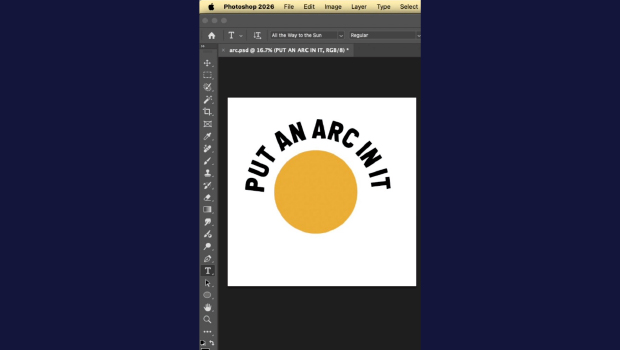
Quickly Create Text in an Arc or Circle in Photoshop
Khara Plicanic reveals new options in Photoshop for putting text in an arc or a...