




Sumo Paint version 1.0, from Finnish company Snap Group, is a new Web-based image editor. This free software does not require any installation to function, just a Web browser that supports Flash.
Functional Package
Sumo Paint has all the basic tools for editing and drawing spectacular images. In addition there are a bunch of unique and advanced features for more professional image editing. Sumo Paint includes the following:
* The Shapes Tool
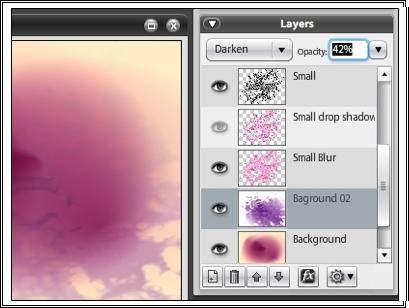
* Layers With Blending Modes
* Awesome Brushes
* The Ink Brush Tool
* Filters Sumo
* Gradient Tool
* Gravity
* Shape Trails
* Zooming
* Symmetry Tool
* Color Picker
* Swatches
* Smudge Tool
* Custom Shape Tool
Built-in Community
With Sumo Paint you can create, edit and save images into your computer or to to your Sumo account. A big part of the popularity of the service are the community tools. Creations can be commented, rated, favorited and even remixed. A unique feature of Sumo Paint community is the Version tree. It grows into a treelike formation when a public image has been remixed.
Click below to see Sumo Paint in action.
This article was last modified on June 19, 2020
This article was first published on January 27, 2009
Commenting is easier and faster when you're logged in!

Recommended for you

Using Photoshop’s Generative Fill to Remove Objects
Learn how to simply remove items from an image in Photoshop, without extra conte...

How to Adjust Colors Using Photoshop’s Contextual Task Bar
Learn how to use the Photoshop Adjust Colors feature to make quick, non-destruct...

How to Adjust Colors in Photoshop Using Hue and Saturation
Learn how to manipulate an image’s colors using Photoshop’s Hue and Saturation s...