


Sort Parent Pages in InDesign with a Script
A script that makes it easy to keep your Pages panel neat and organized.
Oops, you’re not logged in!
Login or sign up for a free account.


In InDesign, the only way to sort parent pages in the Pages panel is to drag them up and down. This is finicky: you need a steady hand. It’s easy accidentally to apply the parent spread you’re moving to another spread because the panel’s tolerance is near zero. That’s on Windows; on the Mac it’s even worse, apparently.
This is something you can probably live with (reluctantly) if your document has only a small handful of parent spreads. But if the document contains a lot of masters or if you have a lot of documents to process, then it’s more convenient to use the script described here.
To use the script, open a document and run the script from InDesign’s Scripts panel. It has no interface. When the script is done you see a copy of the document in a new tab with -fixed added to its name (so ch01.indd is copied to ch01-fixed.indd).
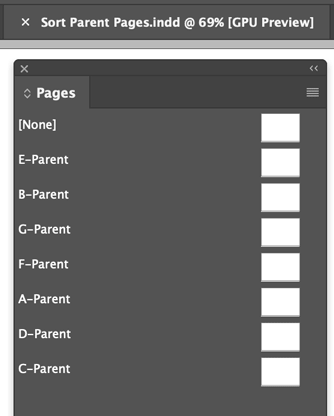
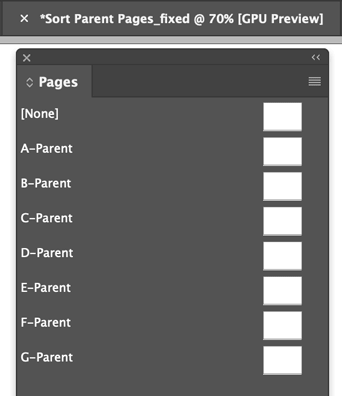
Note: The original document was not touched. The script exported the document to IDML, ordered the master spread in there, renamed the IDML, and opened it.
That’s essentially all there’s to it. If you’re not interested in the technical background you needn’t read further – just download the script, install it, and use it.
This article was last modified on June 26, 2025
This article was first published on October 18, 2024
Commenting is easier and faster when you're logged in!

Recommended for you

Quick Wins: Vector Drawing Skills
Use these five resources to boost your vector drawing skills.

Why Your Print Workflow May Be Stuck in the Past
A Conversation with Adobe’s Mark Lewiecki on PDF best practices for print

Premiere: It’s Not Just For Video
Designers using InDesign and Photoshop can look at Premiere as a surprising reso...