



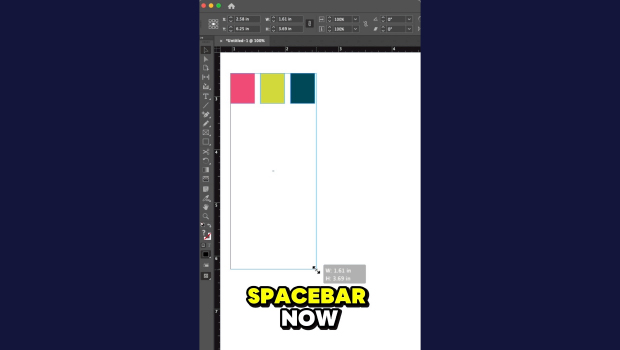
In this short InDesign how-to video, Khara Plicanic shows how easy it is to distribute the spacing between objects. Just select your objects and drag, then add in the spacebar to dial in the perfect spacing.
Subscribe to the CreativePro YouTube channel for more helpful design tips!
This article was last modified on May 4, 2026
This article was first published on May 4, 2026
Commenting is easier and faster when you're logged in!

Recommended for you
A Script to Round off Size and Position Values in InDesign
Instantly clean up "messy" values by rounding them off to the nearest whole poin...

Livestream Video: Creating 3D Lettering Using Illustrator’s Inflate Tool
Join Khara Plicanic as she shows how to create stunning 3D lettering with Illust...

How to Align and Distribute Objects in Illustrator
Learn how to align and distribute objects in Illustrator, take a look at the dif...