


Repair Images in Photoshop


This excerpt is from Adobe Photoshop CS4 for Photographers: The Ultimate Workshop. Used by permission of Focal Press. Copyright © 2009. Part of the Creative Edge Photoshop Resources Page.
Exclusive access for development.creativepro.com readers provided by:

In this book excerpt, two experts share their favorite retouching techniques, some of which have never before been demonstrated or published. Some of these techniques are quite involved, while others are quite simple.
Here are some of the techniques you’ll learn:
– Healing brush strategies
– Adding lens ?are
– Simulating ?lm grain
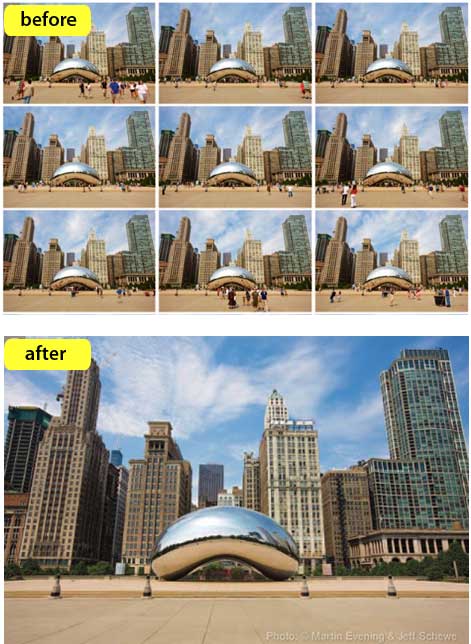
– Removing foreground objects
– Layer blending to remove tourists
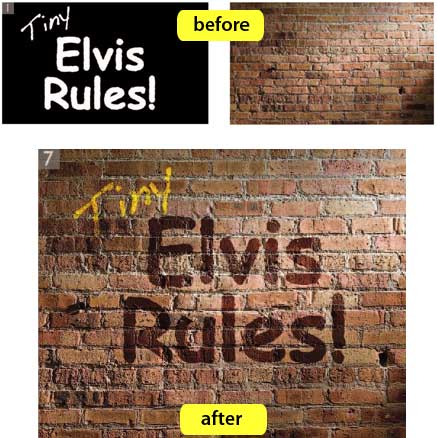
– Merging objects with displace distortion
– Creating a spotlight effect
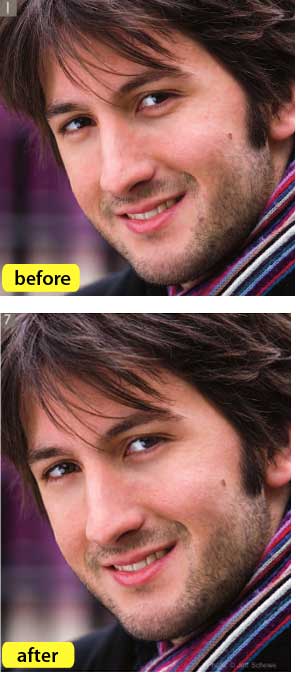
– Adding lightness and contrast to the eyes
– Repair work using a copied selection
– Removing stray hairs
– Tidying hair against a busy backdrop
– Coloring hair roots
– Beauty skin retouching
– Retouching portraits
– Removing re?ections from glasses
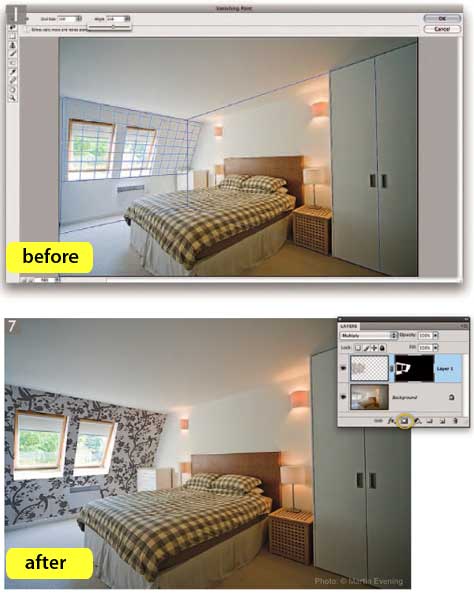
– Vanishing Point correction
development.creativepro.com readers have special access to this excerpt on the Creative Edge website. Click here to read “Repair Images in Photoshop.”
This article was last modified on January 6, 2023
This article was first published on October 11, 2010
Commenting is easier and faster when you're logged in!

Recommended for you

Using Photoshop’s Generative Fill to Remove Objects
Learn how to simply remove items from an image in Photoshop, without extra conte...

How to Adjust Colors in Photoshop Using Hue and Saturation
Learn how to manipulate an image’s colors using Photoshop’s Hue and Saturation s...

How to Adjust Colors Using Photoshop’s Contextual Task Bar
Learn how to use the Photoshop Adjust Colors feature to make quick, non-destruct...