



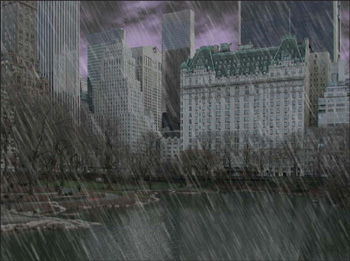

Bert Monroy’s digital paintings are known for their photo-realism and natural details, such as dappled light filtering through tree leaves onto a polished desk or an ominous sky drenching Central Park with heavy rain.
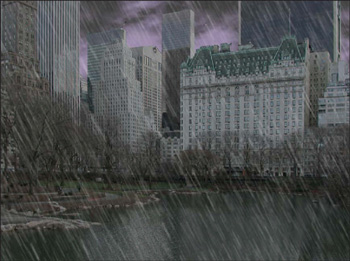
In this excerpt from his book, see how Monroy adds brooding clouds and torrential rain to a digitally captured photograph through a liberal use of basic filters. Similar techniques can be used to add snow, fog, or other elements of nature to almost any scene. Here’s how Bert does it.
We’ve posted this story as a PDF file. All you do is click this link “Creating the Elements” to open the PDF file in your Web browser. You can also download the PDF to your machine for later viewing.
To open the PDF, you’ll need Adobe Acrobat Reader. .
This article was last modified on July 18, 2023
This article was first published on June 4, 2003
Commenting is easier and faster when you're logged in!

Recommended for you

Using Photoshop’s Generative Fill to Remove Objects
Learn how to simply remove items from an image in Photoshop, without extra conte...

How to Adjust Colors Using Photoshop’s Contextual Task Bar
Learn how to use the Photoshop Adjust Colors feature to make quick, non-destruct...

How to Adjust Colors in Photoshop Using Hue and Saturation
Learn how to manipulate an image’s colors using Photoshop’s Hue and Saturation s...