




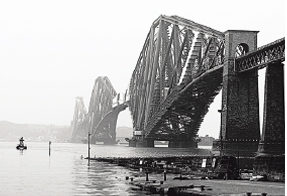
Do you ever work with images that are flat, washed out, too dark, or have a bad color cast? You don’t have to accept those failings. Instead, try a few basic steps to bring them back to life.
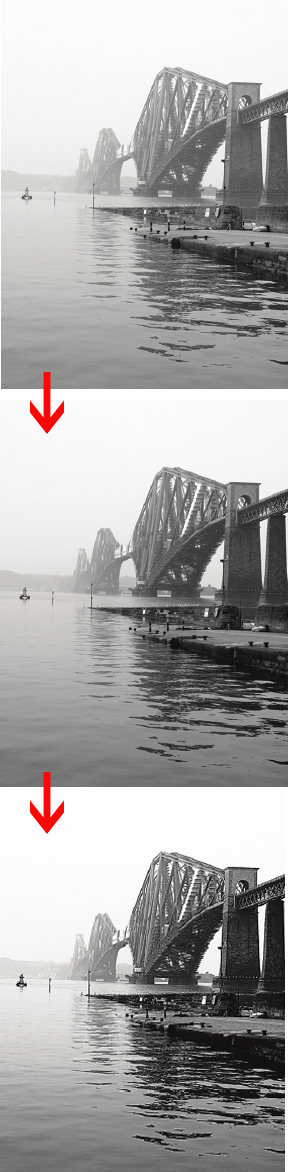
Learn how to take blah photos like this from wash out to knock out.
To read the article as a PDF file in your Web browser, click “Fundamentals.” You can also download the PDF to your machine for later viewing.
To open the PDF, you’ll need Adobe Acrobat or Adobe Reader. We highly recommend Adobe Reader 7.0 or above to view this PDF.
Excerpted from Real World Adobe Photoshop CS2 by Bruce Fraser and David Blatner. Copyright © 2006. Used with permission of Pearson Education, Inc. and Peachpit Press.
This article was last modified on January 4, 2023
This article was first published on January 3, 2007
Commenting is easier and faster when you're logged in!

Recommended for you

How to Adjust Colors Using Photoshop’s Contextual Task Bar
Learn how to use the Photoshop Adjust Colors feature to make quick, non-destruct...

Using Photoshop’s Generative Fill to Remove Objects
Learn how to simply remove items from an image in Photoshop, without extra conte...

How to Adjust Colors in Photoshop Using Hue and Saturation
Learn how to manipulate an image’s colors using Photoshop’s Hue and Saturation s...