



Press Release
Keypad for Photoshop for iPad and Keypad for lllustrator are apps ($1.99) that run on Apple’s iPhone, iPod Touch, and iPad.
Both allow you to use your iPhone or iPod Touch or iPad as a remote to wirelessly control Photoshop or Illustrator. Novice users get to learn Photoshop or Illustrator by having most functionalities at their fingertips – instead of drilling down obscure menus and submenus. Power users already know to use keyboard shortcuts to access functions while working – leaving their hands on the mouse or tablet pen. These iPhone/iPad apps get you to explore Photoshop to its full potential and makes your workflow more efficient either way.
Memorizing keyboard shortcuts for one application isn’t too bad. But a typical modern design workflow includes the use of several heavy-weight applications – each with numerous shortcuts. And these quickly get confusing across applications. Keypad for Photoshop (KPShop) and Keypad for lllustrator (KPLust) help take your mind off such details and provides for a consistent unified interface for graphical design. KPShop and KPLust share the same functionalities and interface layout so that you’ll feel at home with any after using one.
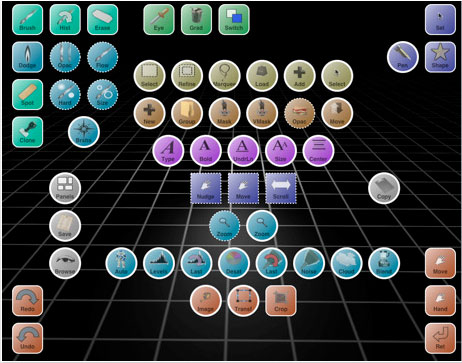
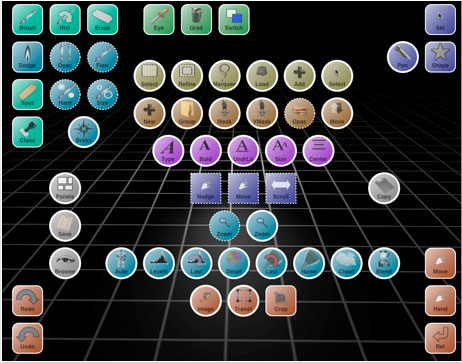
Keypad for Photoshop (KPShop):
Keypad for lllustrator (KPLust):
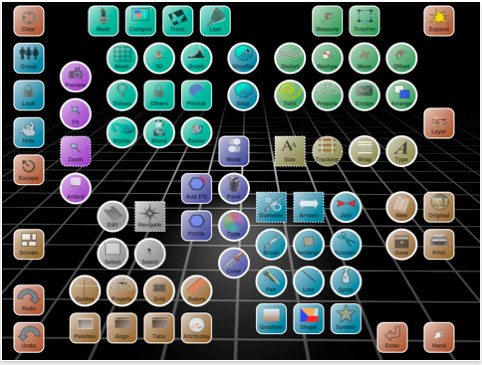
Each includes over 300 functions easily accessible through an intuitive graphical interface.
REQUIREMENTS:
?Intel-based Mac, running Leopard or Snow Leopard
?OR Windows machine running XP, Vista, or 7
?KeyPad Server application freely downloadable from www.dopplerthepom.com/keypad
?Photoshop shortcuts file freely downloadable from www.dopplerthepom.com/keypad
This article was last modified on January 18, 2023
This article was first published on July 28, 2010
Commenting is easier and faster when you're logged in!

Recommended for you

Using Photoshop’s Generative Fill to Remove Objects
Learn how to simply remove items from an image in Photoshop, without extra conte...

How to Adjust Colors in Photoshop Using Hue and Saturation
Learn how to manipulate an image’s colors using Photoshop’s Hue and Saturation s...

Use Bridge to Find and View All Linked Assets in an InDesign File
Quickly find and collect every linked asset in your InDesign project using this...