




There are many people who rely on Adobe Illustrator for creating vector images. But even they might admit that the app isn’t always the easiest to use. That’s why software company Astute Graphics developed VectorScribe, a plug-in for Illustrator CS3 through CS5.
The plug-in comes in two flavors: VectorScribe Designer and the more feature-heavy VectorScribe Studio. Both versions have tools that give you a more intuitive way to create and edit vector artwork, yet don’t make you give up precise control in exchange for ease of use.
There are so many features that Astute Graphics has posted more than 45 video demonstrations on its YouTube channel. Click the screenshot below to view the VectorScribe video introduction:
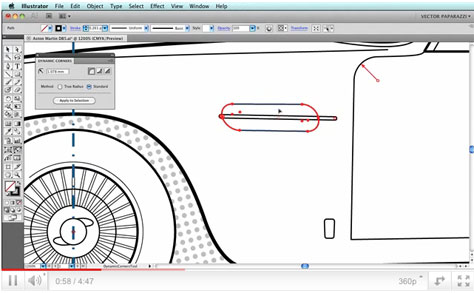
If you like what you see, you may want to download the trial version.
This article was last modified on December 14, 2022
This article was first published on May 6, 2011
Commenting is easier and faster when you're logged in!

Recommended for you

How to Turn a Photo into Graffiti in Photoshop
Create a spray-painted masterpiece in Photoshop with Steve Caplin.

Using Photoshop’s Generative Fill to Remove Objects
Learn how to simply remove items from an image in Photoshop, without extra conte...

How to Adjust Colors Using Photoshop’s Contextual Task Bar
Learn how to use the Photoshop Adjust Colors feature to make quick, non-destruct...