



If you’re a designer who would like a better color picker on the Mac, there’s a guy you should meet. Name’s Frank. Frank DeLoupe. And for a mere 99 cents, he’s offering a nice upgrade over the Mac’s native color picker and DigitalColor Meter application.
Frank DeLoupe is an app created by Jumpzero, and available in the Mac App store that allows you to sample the color from any pixel on your screen. That in itself is nothing new, but what makes Frank special are features like the ability to assign any keyboard shortcut to sample colors, the ability to copy the CSS code for a sampled color to the clipboard in several different formats, and the ability to instantly use sampled colors as the foreground or background color in Photoshop.
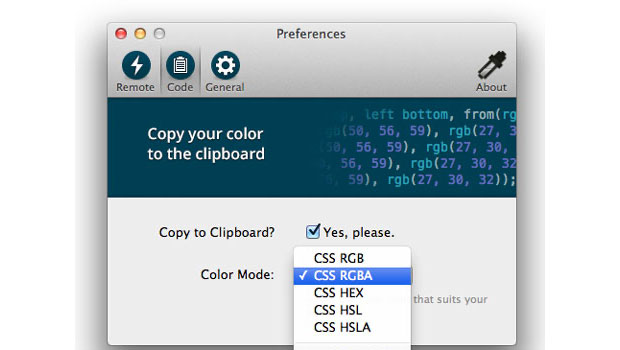
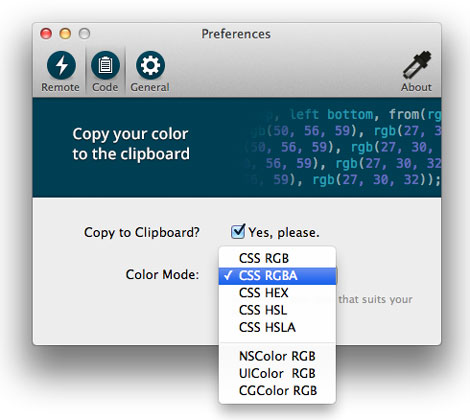
Once installed and running, you can access Frank’s preferences from a menu bar icon. In the Preferences dialog box, you can pick your desired flavor of CSS code.
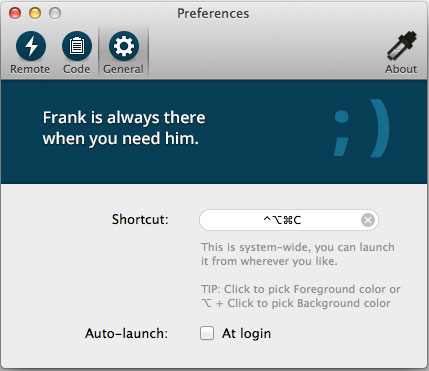
To set your desired keyboard shortcut for opening Frank’s Color Picker, you simply type it in the dialog box. You can also have Frank launch automatically when you log in.
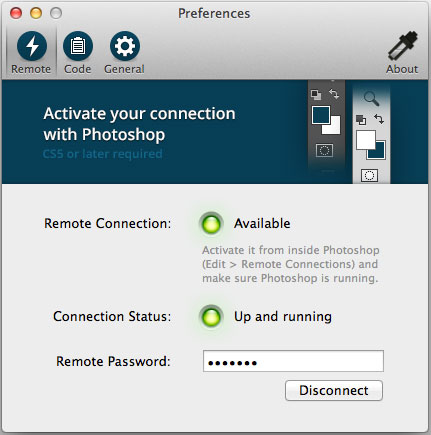
Users of Photoshop CS5 and above will also enjoy seamless integration with Frank. By setting up a remote connection in Photoshop (choose Edit > Remote Connections), you can have the colors you sample immediately become Photoshop’s foreground or background colors.
This article was last modified on January 8, 2023
This article was first published on August 2, 2012
Commenting is easier and faster when you're logged in!

Recommended for you

How to Turn a Photo into Graffiti in Photoshop
Create a spray-painted masterpiece in Photoshop with Steve Caplin.

How to Adjust Colors in Photoshop Using Hue and Saturation
Learn how to manipulate an image’s colors using Photoshop’s Hue and Saturation s...

Using Photoshop’s Generative Fill to Remove Objects
Learn how to simply remove items from an image in Photoshop, without extra conte...