




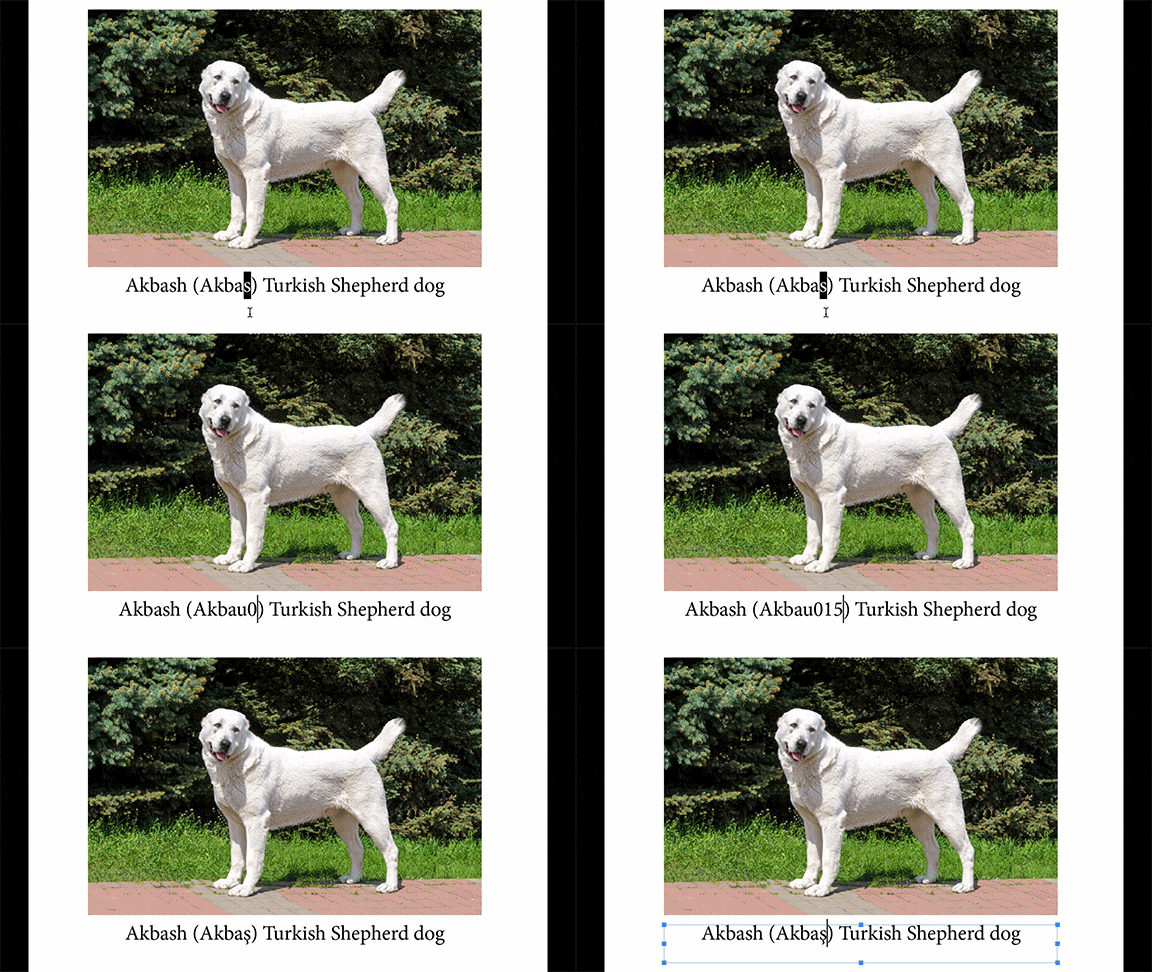
If you regularly have to insert accented characters or other glyphs that have no handy keyboard equivalent, here’s some news of a free script that may help make the job easier. It’s called InstantUnicode, written by Marc Auret, and available at Indiscripts.com. After you run the script, each time you enter a codepoint it will be swapped out for the actual glyph.
For example, say you often had to insert a character like the letter s with cedilla. You could use the Glyphs panel to locate the character and see its codepoint (015F).
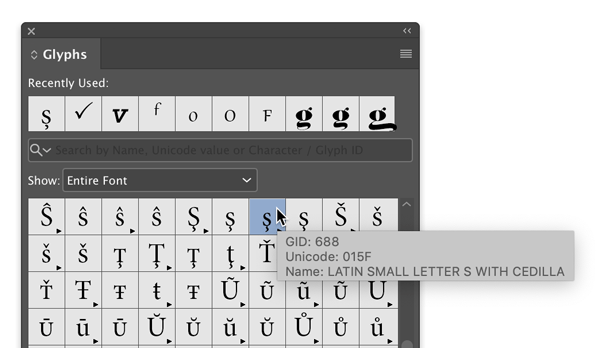
Then, any time you needed that character, just type “u015F” and the script will make the replacement.
Or, as someone who used to make a lot of math textbooks, one of my pet peeves is seeing a lowercase x where a multiplication sign should be.
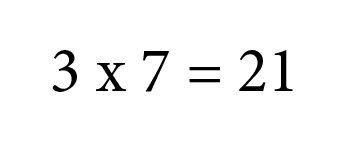
Ugh.
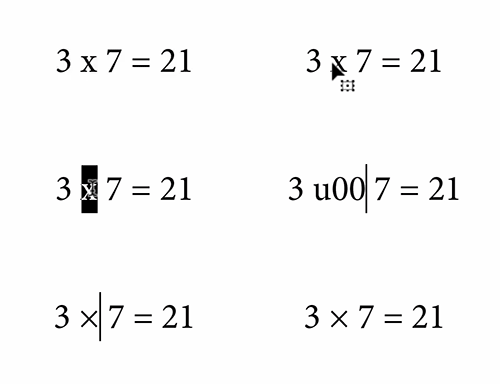
But now anytime I come across this problem, I can just select the x, and type in “u00d7″…and boom!
To make things even easier, you can put the script in InDesign’s Startup Scripts folder, so it’s automatically running each time you launch the application.
You can learn more by checking out this video.
Merci, Marc, for another great script!
This article was last modified on October 14, 2020
This article was first published on March 16, 2020
Commenting is easier and faster when you're logged in!

Recommended for you
Quickly Renumber a List in InDesign
Khara Plicanic shows how to renumber an InDesign list without digging through me...
Rotate Flat Elements in 3D Space in Photoshop
Khara Plicanic demonstrates how to take a flat photo element and rotate and tilt...
How to Create Kinetic Text in Keynote
It's a breeze to create custom typographic animations with Chris Converse.