



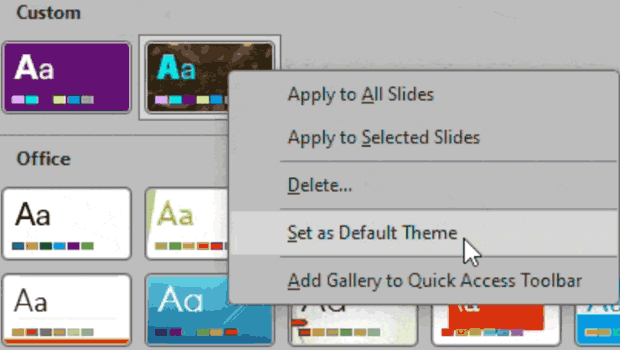
Want to save time and aggravation in PowerPoint? Instead of having to change your theme every time you want to use a custom one you have stored, set it as default! Here’s how.
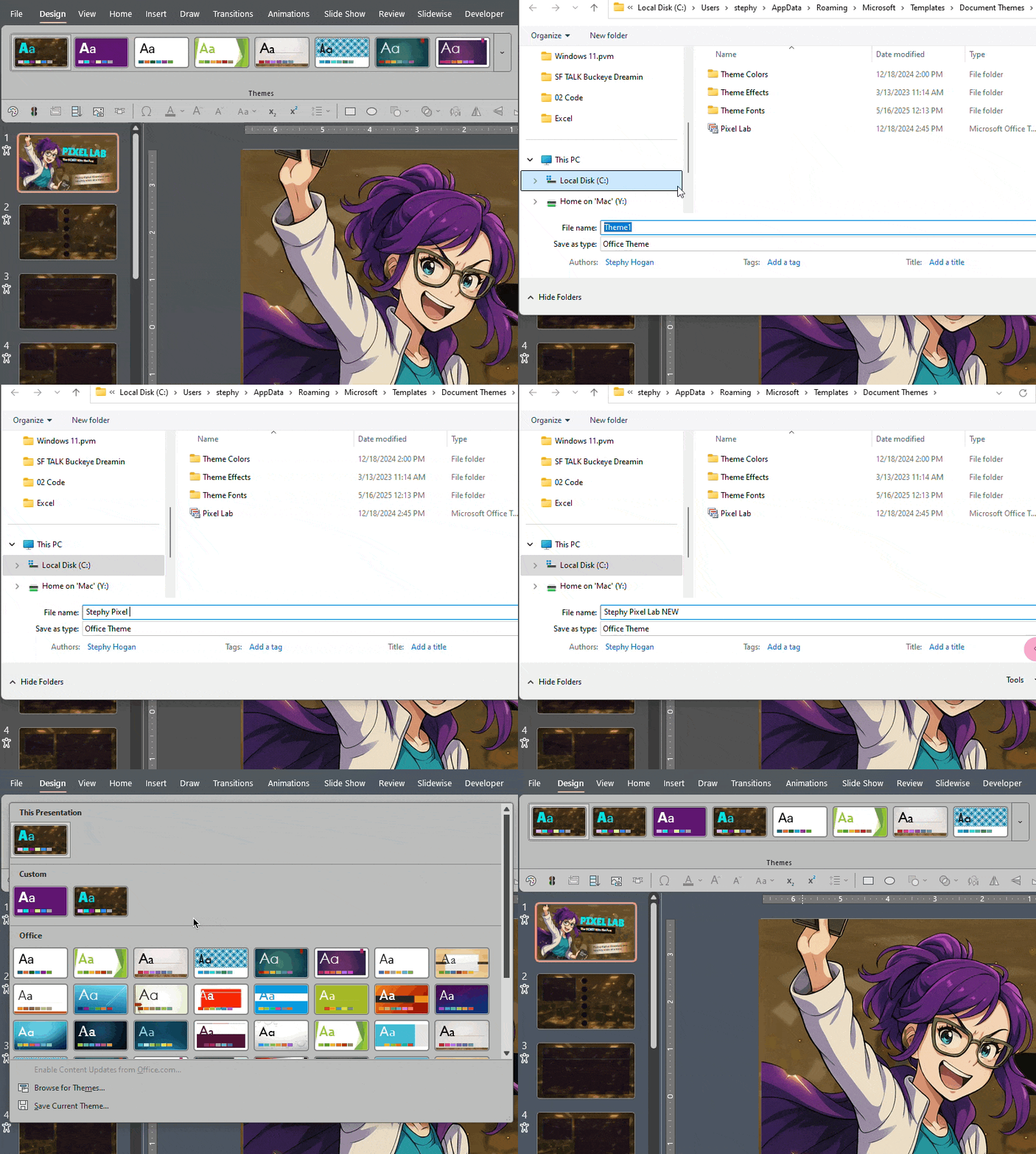
First, save your custom theme by going to the Design Tab > Themes dropdown and right-click on the theme in your current presentation.
Choose Save Current Theme at the bottom.
Then go back to that same dropdown, right-click on your custom theme and choose Set As Default Theme.
This article was last modified on October 30, 2025
This article was first published on March 7, 2025
Commenting is easier and faster when you're logged in!

Recommended for you
Members-Only Video: Using the Built-in Recording Tools in PowerPoint
Learn how to record your PowerPoint presentation so it can be played back later...
Export a PDF to a PowerPoint File from Acrobat
Editing your PDF file will be a breeze if you export it to PowerPoint, with Chad...

Example Course
This course content shows under the About tab on the main Course page. You can l...
