



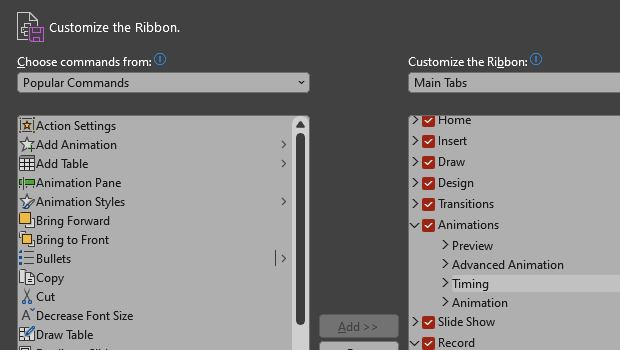
Make PowerPoint work for you, by customizing the Ribbon, hiding tabs you don’t use, and organizing tabs in the order of how much you use them. Here’s how.
On PC, either right-click on the ribbon or go to File > Options > Customize Ribbon.
On Mac, go to PowerPoint > Preferences > Ribbon & Toolbar.
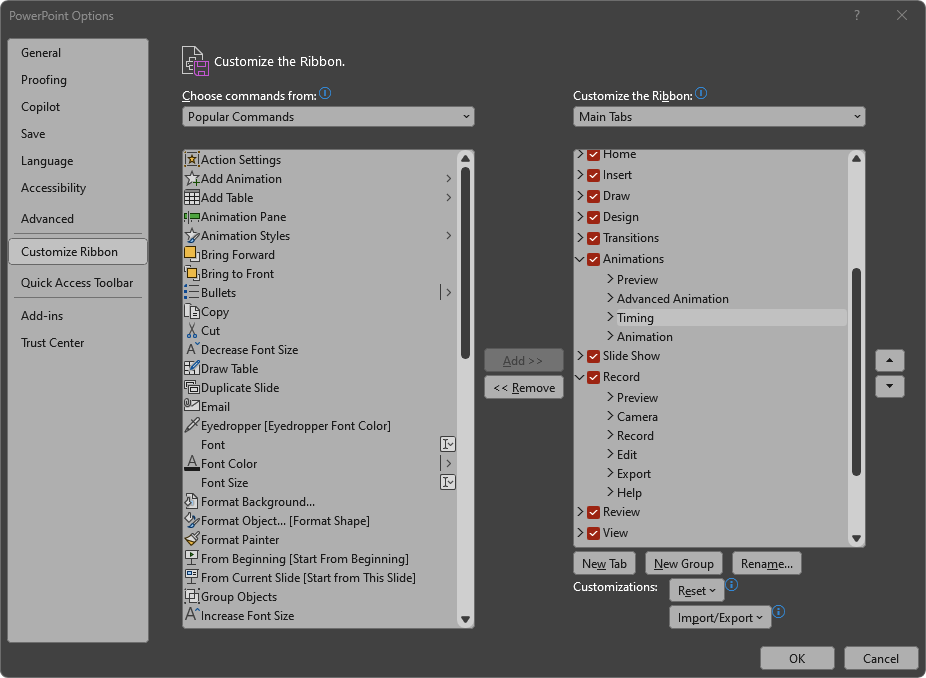
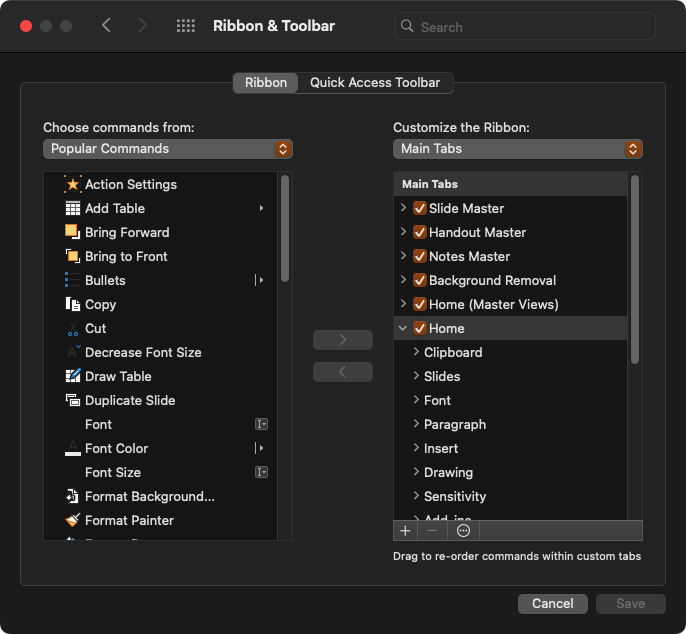
Uncheck tabs you don’t want to see and rearrange them in an order that is convenient for you.
You can also reorder or remove individual items within the tabs! I usually hide the Record, Help, and Acrobat ribbons completely.
This article was last modified on August 11, 2025
This article was first published on January 2, 2025
Commenting is easier and faster when you're logged in!

Recommended for you

Human vs. AI Slide Design
Blend AI's speed with human insight in your presentations with Jody Wissing.
How to Create Paragraph Styles in PowerPoint
There are no Paragraph Styles in PowerPoint… but with a little creativity with t...
How to Quickly Update a Photoshop File with Multiple Layer Effects
Combine multiple text effects and retain editability with this Photoshop master...