



Ready to crank up your PowerPoint efficiency to 11? Customize the Quick Access Toolbar (QAT) to your liking. Here’s how.
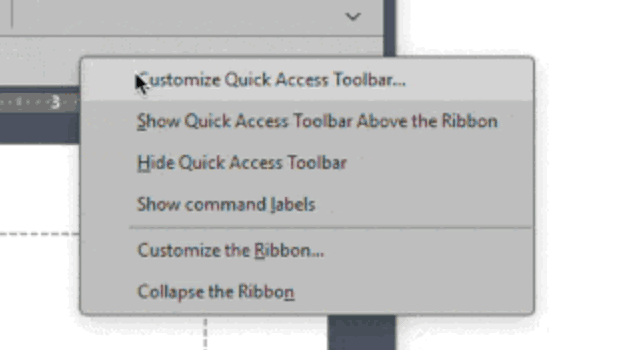
First, turn on Quick Access Toolbar (QAT). Right-click on the ribbon and choose Show Quick Access Toolbar.
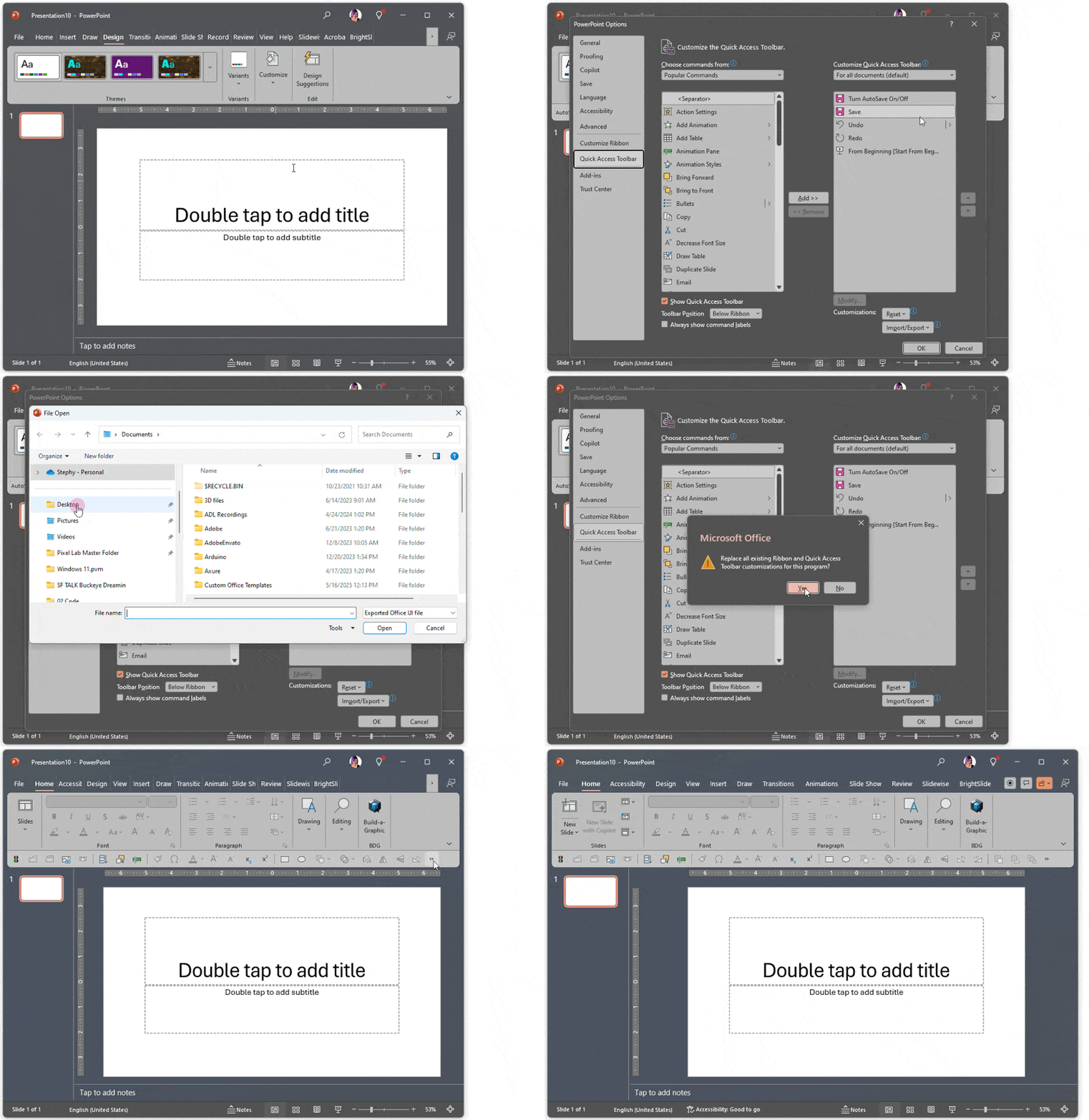
Right-click again and choose Customize Quick Access Toolbar.
Remove the default QAT tools if you don’t want them there and add your most used tools.
Or, you can import my QAT that I use every day! Click here to download it.
This article was last modified on October 30, 2025
This article was first published on February 7, 2025
Commenting is easier and faster when you're logged in!

Recommended for you

Editor’s Picks for The Presentation Design Conference 2026
Our Editor in Chief lists his five must-see sessions at The Presentation Design...

Quick Wins: Presentation Design Skills
Use these five resources to boost your presentation design and production skills

Example Course
This course content shows under the About tab on the main Course page. You can l...
