



This tutorial is courtesy of the Russell Brown Show.
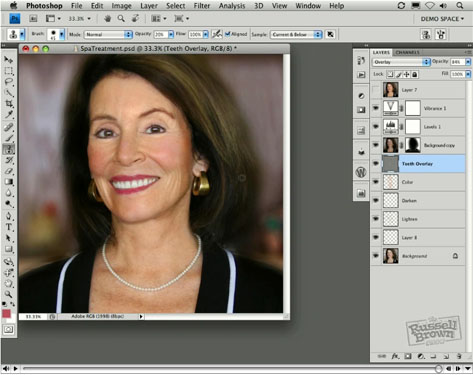
I’m a believer in subtle, gentle portrait retouching. In this how-to, I’ll show you how to downplay wrinkles, brighten teeth, and give someone a more even complexion — as if they’ve been to a really good spa.
Some of the retouching tools you’ll use are layer masks, blend modes in the Layers panel, and the Clone Stamp tool.
Click the image below to open the tutorial movie in a new window.
This article was last modified on January 5, 2023
This article was first published on November 9, 2009
Commenting is easier and faster when you're logged in!

Recommended for you

How to Adjust Colors Using Photoshop’s Contextual Task Bar
Learn how to use the Photoshop Adjust Colors feature to make quick, non-destruct...

How to Turn a Photo into Graffiti in Photoshop
Create a spray-painted masterpiece in Photoshop with Steve Caplin.

How to Adjust Colors in Photoshop Using Hue and Saturation
Learn how to manipulate an image’s colors using Photoshop’s Hue and Saturation s...