




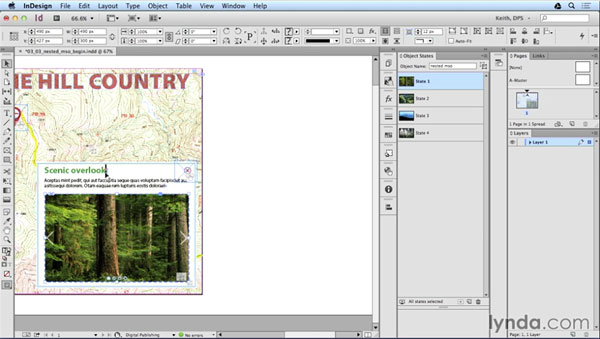
The use of multi-state objects (MSOs) is key for creating many of the best interactive elements in Adobe DPS publications. Folks like our own Bob Levine and Keith Gilbert have become MSO masters in their DPS work, and have shared lots of great techniques through their writing and videos. And in the lynda.com course, Adobe DPS Interactive Techniques, Keith Gilbert demonstrates the way to properly nest one multi-state object inside another.
At first glance, this seems to be impossible, since you’re not allowed to paste one multi-state object into a state of another MSO. But Keith shows a simple but effective workaround to get everything working right, and make a cool complex interactive object. Check it out!
This article was last modified on March 5, 2025
This article was first published on March 6, 2015
Commenting is easier and faster when you're logged in!

Recommended for you
Tips to Control Photoshop Layers
Khara Plicanic shares smart Photoshop Layers panel tips to help you find and man...
Animate a Waterfall Effect on a PowerPoint Bar Chart
Stephy Hogan is back with another eye-catching animated chart design.
Rotate Flat Elements in 3D Space in Photoshop
Khara Plicanic demonstrates how to take a flat photo element and rotate and tilt...