




Seene is an app for iOS that lets you capture an image from four different angles, and then stitches those images together to form a 3D photo that changes as you move your device.
To cpature a 3D image, you simply follow the prompts the app gives you to point your device’s camera above, below, and to the sides of an object.
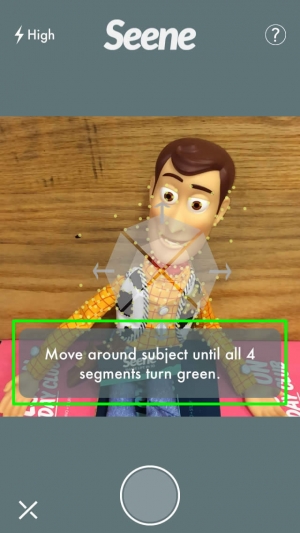
After you capture your image, you can share it with followers, embed it into a web page, or copy and paste a URL to the image to send in email, etc.
Currently, Seene is only for iOS, but a version for Android devices is planned. Also in the works: the ability to save Seene files to your computer.
To see examples of the kind of 3D images you can capture, check out the Seene Tumblr (with Firefox or Chrome, not Safari).
This article was last modified on January 8, 2023
This article was first published on December 19, 2013
Commenting is easier and faster when you're logged in!

Recommended for you

Using Photoshop’s Generative Fill to Remove Objects
Learn how to simply remove items from an image in Photoshop, without extra conte...

How to Adjust Colors in Photoshop Using Hue and Saturation
Learn how to manipulate an image’s colors using Photoshop’s Hue and Saturation s...

How to Adjust Colors Using Photoshop’s Contextual Task Bar
Learn how to use the Photoshop Adjust Colors feature to make quick, non-destruct...