


A Script to Round off Size and Position Values in InDesign
Instantly clean up "messy" values by rounding them off to the nearest whole point
Oops, you’re not logged in!
Login or sign up for a free account.

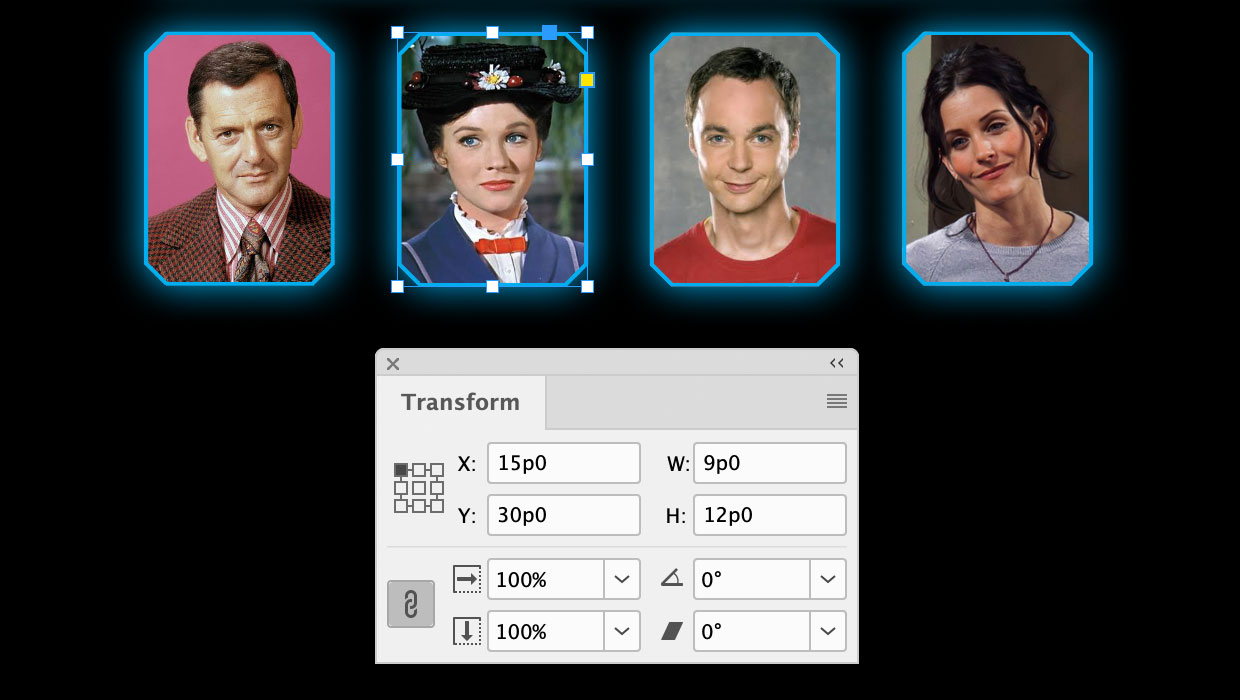
Experienced InDesign users tend to like working in very tidy documents where objects are precisely sized and positioned on the page. And for some of us, there’s something unsatisfying about leaving a frame sitting at “messy” X and Y coordinates that include fractions of a point—even if it doesn’t make a visual difference in the final output.

Mary Poppins would not appreciate her “practically perfect” size and position.
If you want a very simple and fast way to clean up all the size and position values of objects in your layout you can use a free script from Peter Kahrel. The Round Off to Whole Points script does just that. It works on either a selection of objects or the entire document (when you have nothing selected), rounding values up or down to the nearest point.

Ahh, that’s much better.
You can use the green Download Now button above to grab a copy of the script.
Thanks, Peter!
This article was last modified on July 1, 2026
This article was first published on July 1, 2026
Commenting is easier and faster when you're logged in!

Recommended for you

CreativePro Week 2026 Preview: 5 Indispensable InDesign Sessions
Five sessions InDesign users can't afford to miss
Scale Spacing Between Objects in InDesign
Khara Plicanic shows how to use the spacebar to adjust the spacing between objec...

7 Reasons Why You Belong at the InDesign User Group
If you’re an InDesign user, you’ll dig the IDUG