



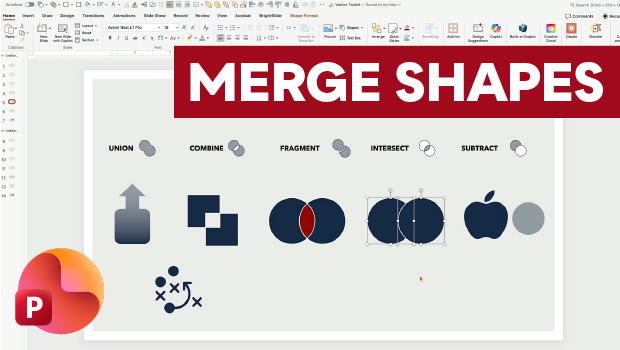
In this PowerPoint how-to video, Nolan Haims shows off Merge Shapes, one of the program’s most powerful tools. First, he demonstrates each of the tool’s five core functions: Union, Combine, Fragment, Intersect, and Subtract. Finally, Nolan shows how to apply these tools to live text and raster images.
This is just a taste of the great content you’ll learn in Nolan’s upcoming session at CreativePro Week, being held in Nashville June 29–July 3. See the agenda and sign up now.
Subscribe to the CreativePro YouTube channel for more helpful design tips!
This article was last modified on July 7, 2026
This article was first published on May 5, 2026
Commenting is easier and faster when you're logged in!

Recommended for you
How to Create Paragraph Styles in PowerPoint
There are no Paragraph Styles in PowerPoint… but with a little creativity with t...
Export a PDF to a PowerPoint File from Acrobat
Editing your PDF file will be a breeze if you export it to PowerPoint, with Chad...
How to Make a Spiral in Illustrator
Learn how to make spirals of all sizes and varying depths with Illustrator’s Spi...