



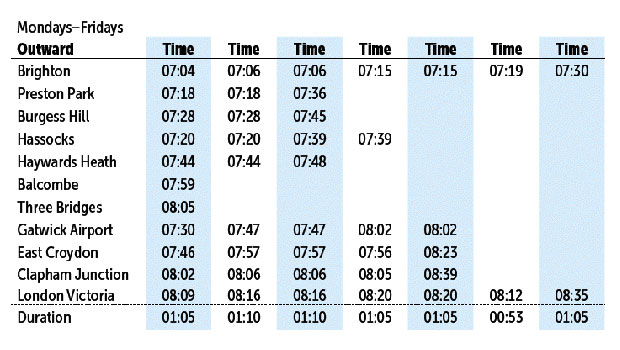
Use these 5 quick tips to improve the appearance and usability of your InDesign tables.
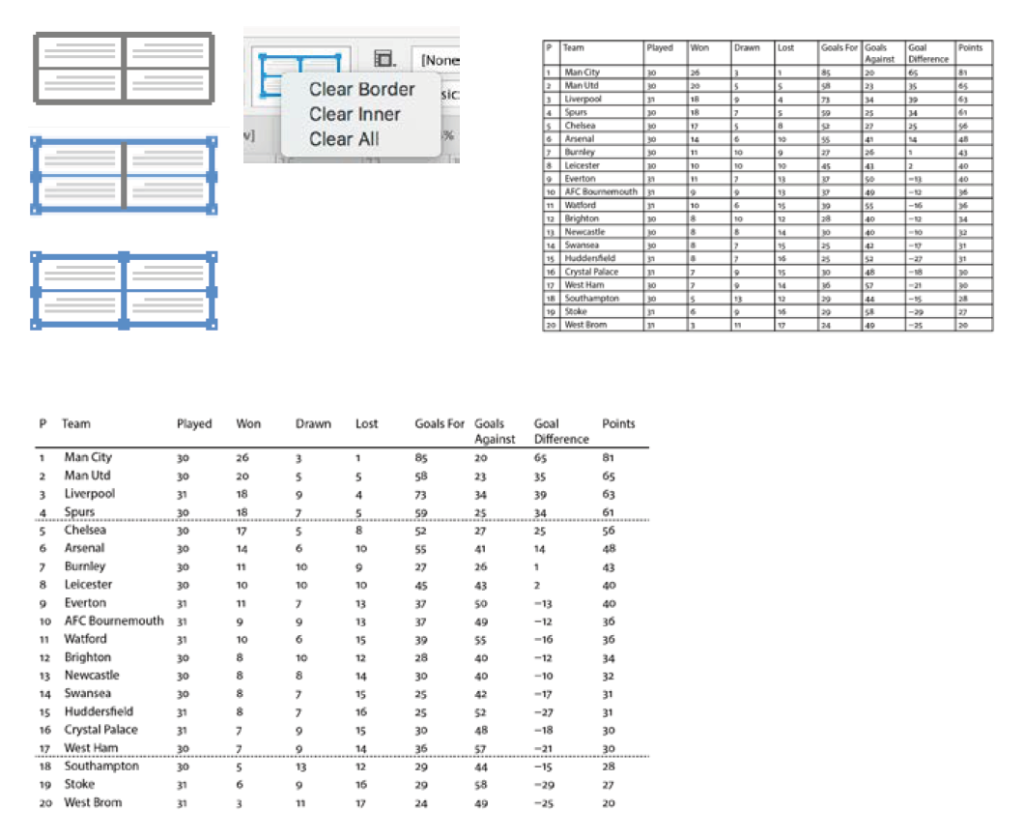
1. Break out of Data Prison
Use the proxy preview to determine which strokes are being affected. Right-click the preview proxy.
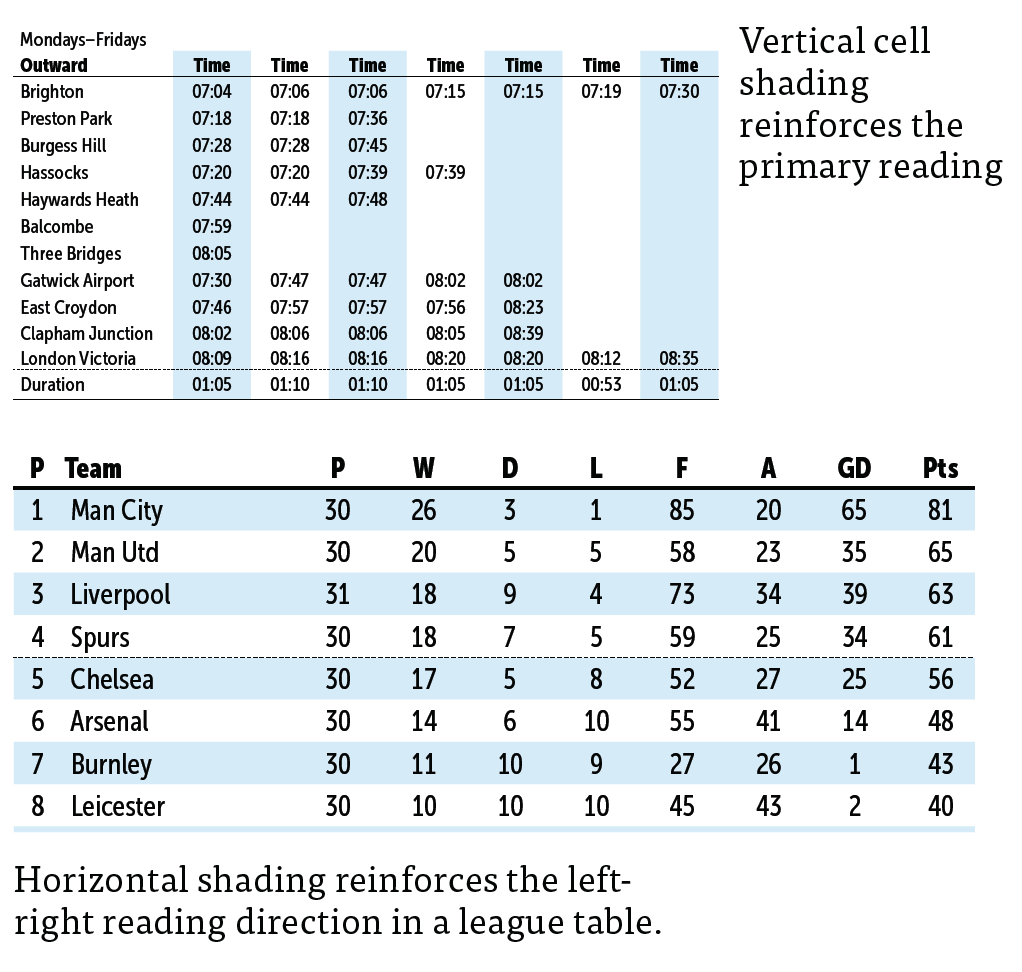
2. Emphasize the Reading Direction
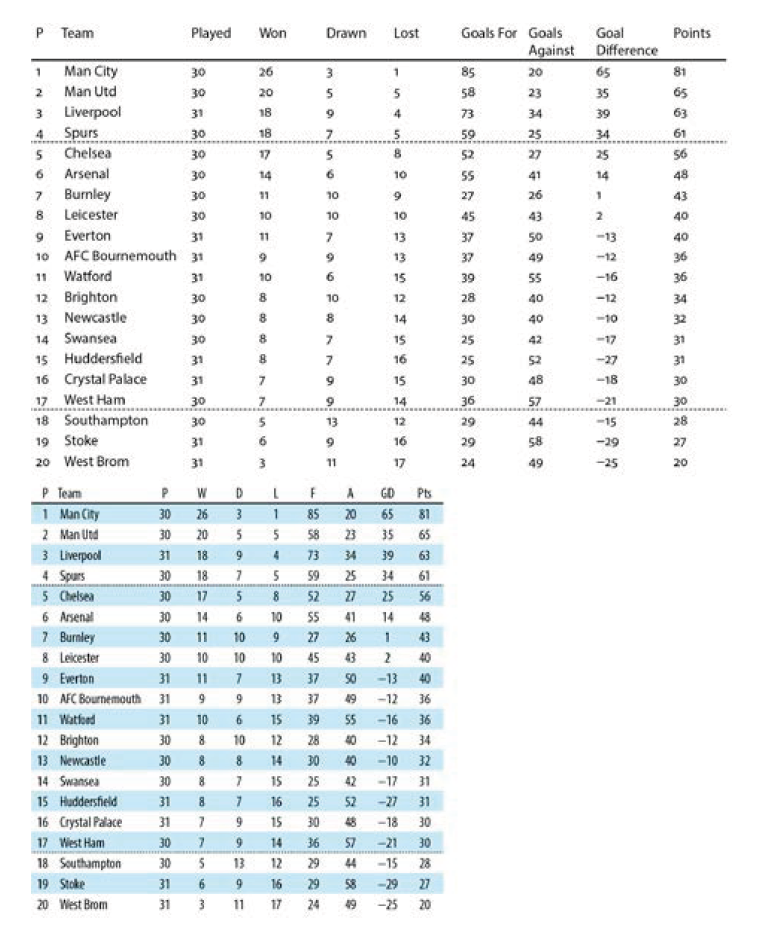
3. Keep it Simple
• Abbreviate details where possible.
• Use a condensed font to keep the data compact and easy to scan.
• Turn off hyphenation.
• Select Ignore Optical Margin Alignment
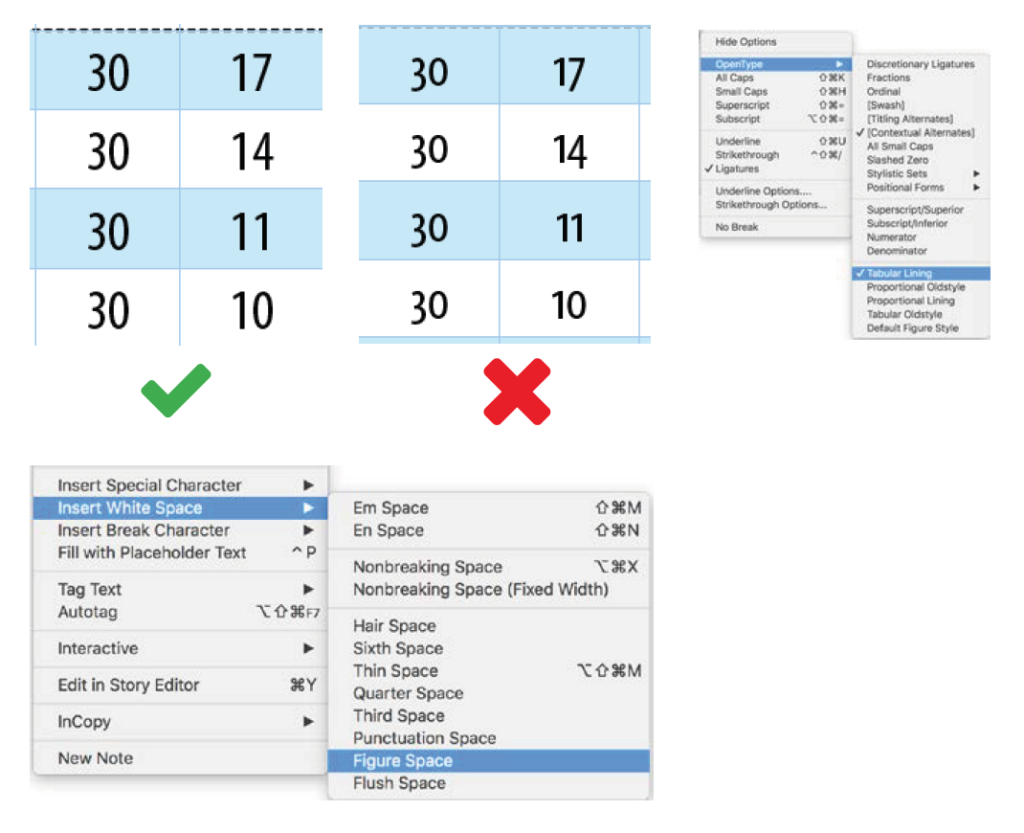
4. Use Tabular Lining Numbers
To ensure that figures align within cells, if you’re using a typeface with different numbering styles, be sure to use Tabular numbers. Also, consider using a Figure Space to fine-tune alignment.
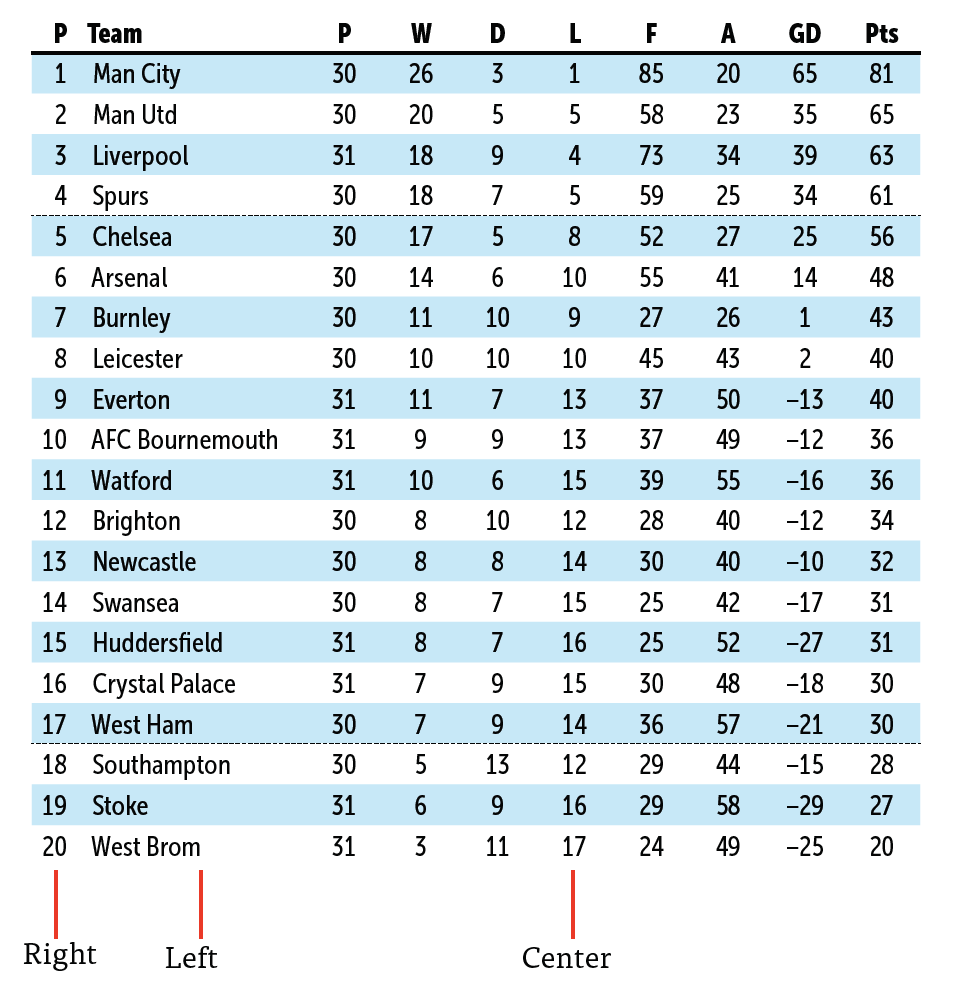
5. Be Flexible About Alignment
This article was last modified on June 29, 2021
This article was first published on May 21, 2019
Commenting is easier and faster when you're logged in!

Recommended for you
Tips to Control Photoshop Layers
Khara Plicanic shares smart Photoshop Layers panel tips to help you find and man...
How to Extract a Table from a PDF in Acrobat
Get your data out of a PDF and into an Excel Workbook with this quick Acrobat tr...
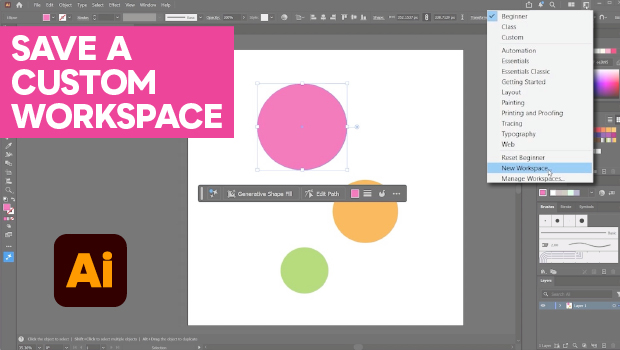
How to Make Illustrator More User Friendly
Set up your own custom workspace with Kat Kremser.