




Hey folks, it’s time for another InDesign mystery that you can solve for a chance to win an awesome prize!
Here’s the scenario:
You have a bunch of items in a layout on different layers.
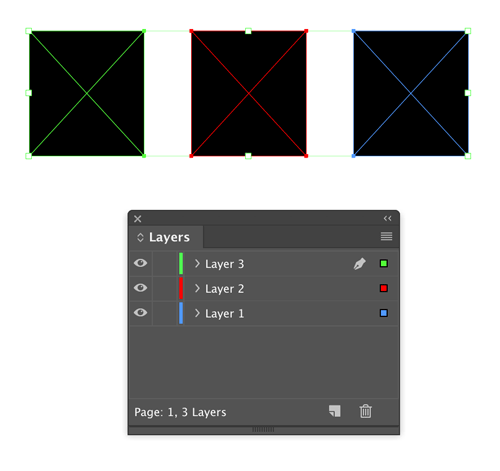
You want to move them all to the same, new layer you just made but you don’t want them to change position on the layout.
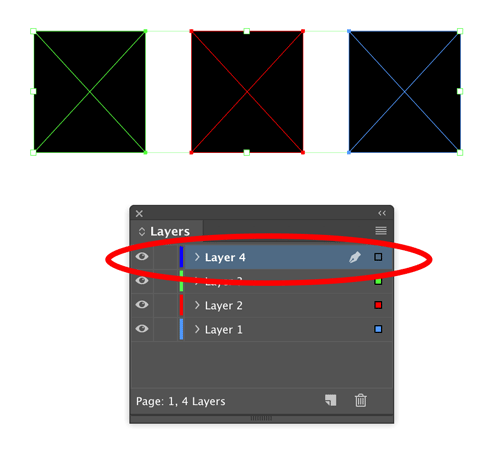
So you select the objects, cut them, target the new layer, and choose Edit > Paste in Place. But…nothing happens. That is, the items reappear in their original positions in their original layers. No error message appeared but nothing was added to the new layer.
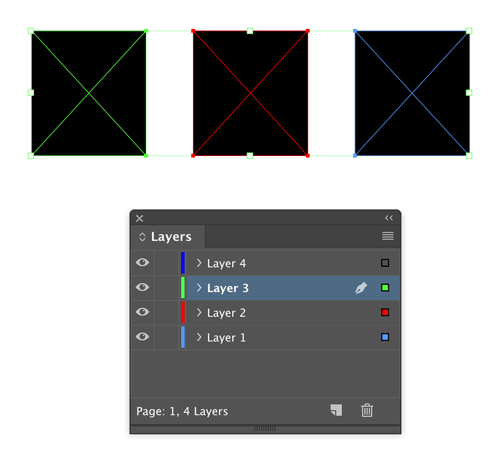
Why weren’t the objects pasted into the new layer?
The prize is 3 months access to videos of any 2 days of CreativePro Week 2019!
The winner will be chosen at random from all the correct answers I receive before August 26, 2019
Enter now by emailing your solution to mike at indesignsecrets.com
Note: Comments are closed on this post so no one gives away the answer. Good luck!
This article was last modified on May 7, 2020
This article was first published on August 19, 2019
Commenting is easier and faster when you're logged in!

Recommended for you
Livestream Video: How to Use Masking in Photoshop
Watch Khara Plicanic show some great tips and tricks for working with masks in P...

Keep Footer Info Always Visible in InDesign
Keep your full-page photographs from blocking headers and footers in InDesign wi...

Livestream Video: How to Create Patterns in Illustrator
Join Khara Plicanic to learn some great tips and tricks for working with pattern...