




With all due respect to Tom Hanks and his nifty Hanx Writer app for iPad, people who use computers as typewriters just cause headaches for those of us responsible for laying out pages in InDesign, because, well, you never know what you’re gonna get from them.
And in the latest InDesign Secrets video at lynda.com, David Blatner shares a nifty GREP code for cleaning up a common problem with manuscript produced by folks who use a computer like a typewriter—tabs at the start of a paragraph. David also points out a little quirk in the way Find/Change works in InDesign, and why it makes a GREP search the best approach for removing the tabs and applying proper paragraph styling at the same time.
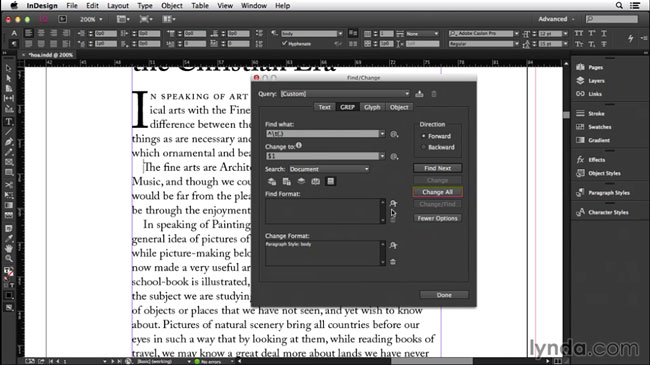
Check it out in the InDesign Secrets video series at lynda.com, which really is like a box of chocolates.
This article was last modified on March 5, 2025
This article was first published on October 24, 2014
Commenting is easier and faster when you're logged in!

Recommended for you

Interview with Adam Jury, GREP Expert
Q&A with Adam Jury, who is presenting at CreativePro Week 2025

How to Create Kinetic Text in Keynote
It's a breeze to create custom typographic animations with Chris Converse.

Editor’s Picks for The InDesign Conference 2025
Our Editor in Chief lists his must-see sessions for the InDesign Conference 2025...