




This tip was sent to Tip of the Week email subscribers on June 26, 2014.

Sign up now and every week you’ll get a new InDesign Tip of the Week and Keyboard Shortcut of the Week, along with roundups of new articles at InDesignSecrets and CreativePro, plus exclusive deals sent right to your Inbox!
Just scroll all the way down to the bottom of this page, enter your email address, and click Go! We’ll take care of the rest. Now, on with the tip!
Have you ever had that moment of doubt as to which direction InDesign’s rotation angle is going to move your object? Are positive numbers clockwise or counter-clockwise?
I can’t remember myself, but there’s a little cheat that helps me look smart in front of a class. Just take a quick peek at the Rotation tool in the Tools panel. Notice that it indicates a counter-clockwise direction.
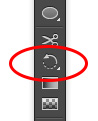
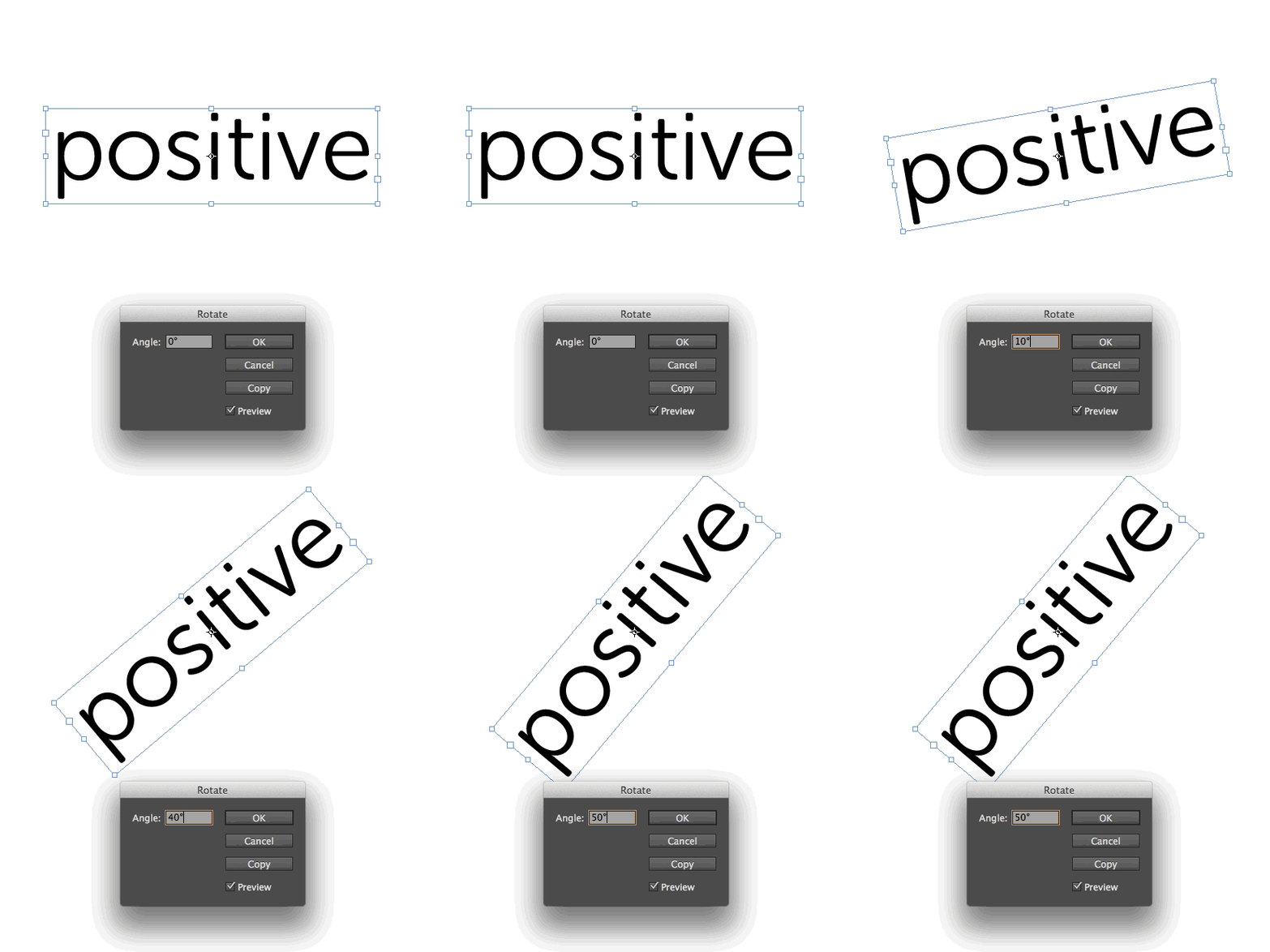
That’s your clue that positive numbers rotate objects counter-clockwise.
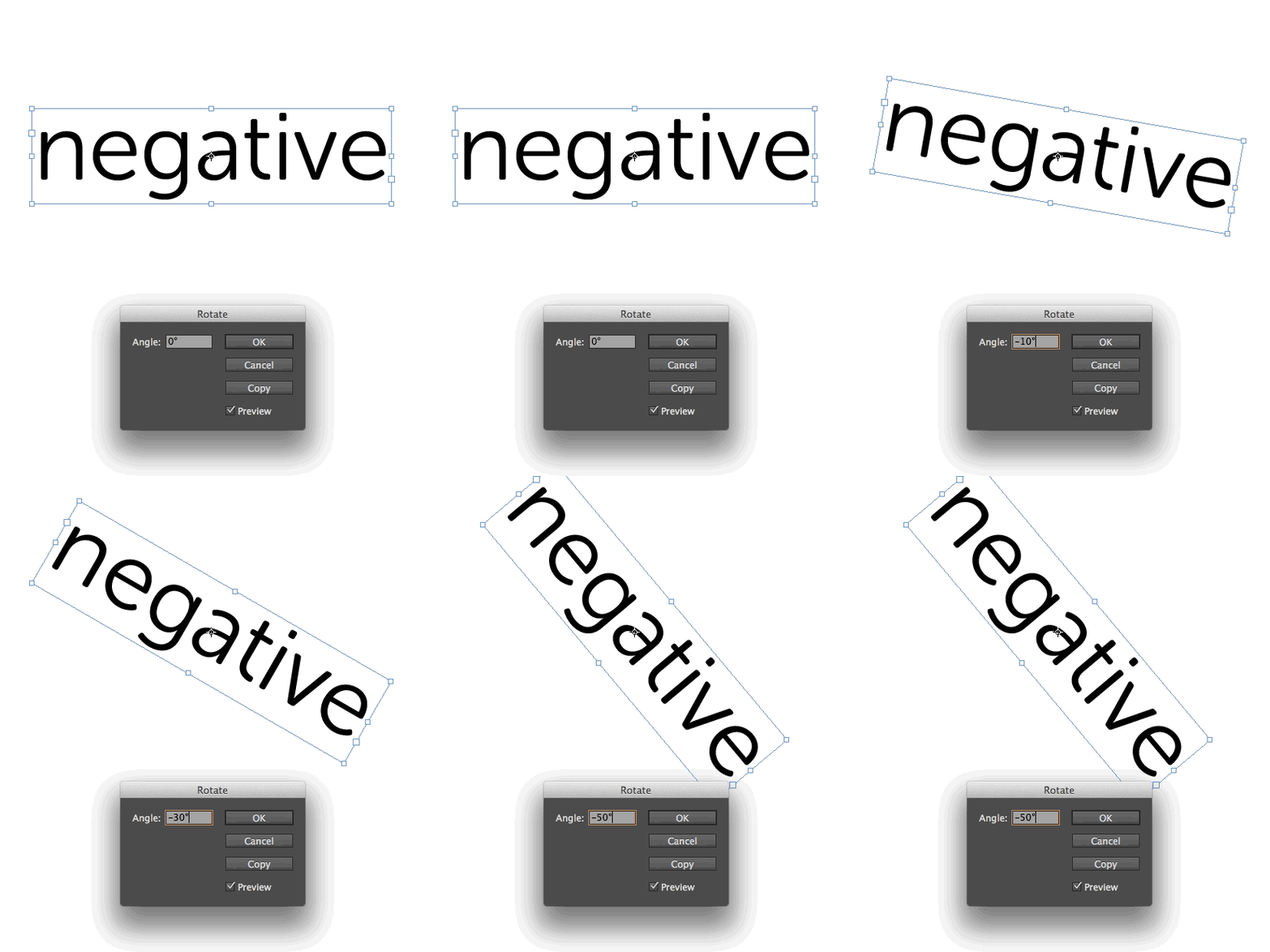
Negative numbers go clockwise.
This half-second glance saves me a lot of undos.
This article was last modified on December 30, 2021
This article was first published on July 1, 2014
Commenting is easier and faster when you're logged in!

Recommended for you
New Photoshop Tools in the Early 2026 Update
Steve Caplin gives a thorough tour of Photoshop's new April 2026 features!
Rotate Flat Elements in 3D Space in Photoshop
Khara Plicanic demonstrates how to take a flat photo element and rotate and tilt...
Tips to Control Photoshop Layers
Khara Plicanic shares smart Photoshop Layers panel tips to help you find and man...