




One of the most common complaints of designers or print service providers when previewing and printing transparency from InDesign is that a transparency effect like a drop shadow doesn’t display or print correctly. Instead, a white box appears behind the transparency effect.
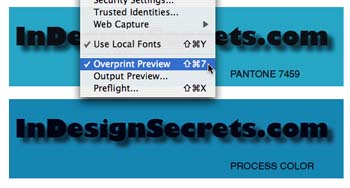
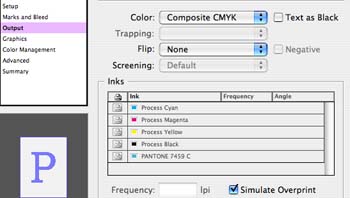
When you probe into how the transparency effect was created, there is usually one common element: The designer is applying the transparency effect so it interacts with spot colors. The illustration below shows text with a drop shadow placed over a blue frame. The background frame above is colored as a Pantone color; the one below was colored CMYK.


This article was last modified on December 18, 2021
This article was first published on July 29, 2006
Commenting is easier and faster when you're logged in!

Recommended for you

How to Move Pages Between PDFs with Adobe Acrobat
Learn how to move pages between PDF files with Chad Chelius.

Quickly Renumber a List in InDesign
Khara Plicanic shows how to renumber an InDesign list without digging through me...

Adobe Unveils Major Expansion of Creative Agent Across Firefly and Creative Cloud Apps Including Photoshop and Premiere
Adobe is giving creative professionals an AI Assistant that orchestrates multi-s...