



It’s true that a picture’s worth a thousand words. It’s also true that you could end up typing more than a thousand words to precisely document all the layers, type, shapes, and effects in your Photoshop documents. But with the free plug-in Ink by chrometaphore, you can skip all that tedious measuring and typing, and instantly gather precise specifications. That way there’s no guesswork, and no wasted time when you have to hand a design off to someone else to work with, or just when you want all the specs handy for your own reference.
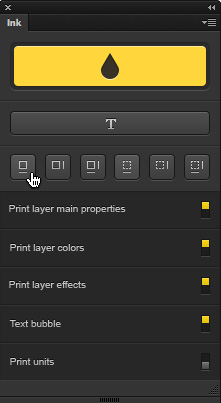
Just install Ink in Photoshop CS6 or CC and click the buttons in the panel to create grouped documentation layers showing the measurements and properties of objects or selections.
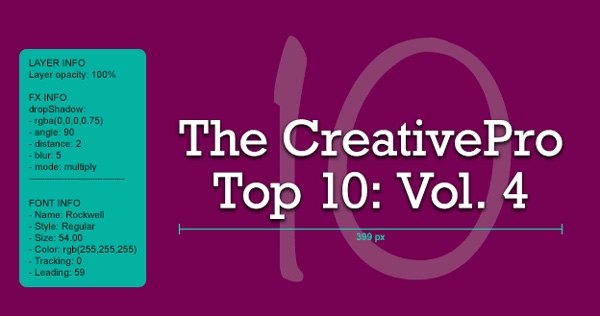
Voila! Instant accurate info that you can show or hide just by changing the visiblity of the layers in the Layers panel.
This article was last modified on January 8, 2023
This article was first published on March 7, 2014
Commenting is easier and faster when you're logged in!

Recommended for you

Before&After: Optima: The Typeface of 9/11
How Optima brings dignity and humanity to the National September 11th Memorial.

Using Photoshop’s Generative Fill to Remove Objects
Learn how to simply remove items from an image in Photoshop, without extra conte...

Use Bridge to Find and View All Linked Assets in an InDesign File
Quickly find and collect every linked asset in your InDesign project using this...