




OnOne Software, creator of software plug-ins for Photoshop, Lightroom, Aperture and other digital photography applications, launched an online marketplace for photographers. Called onOne marketplace (naturally). the site lets photographers download tools, accessories, and tutorials. The site currently features three categories: Backgrounds & Textures, Templates for Albums & More, and Presets A fourth section for Borders & Edges will be added later. The site offers a mix of free and premium content, and all may used in commercial as well as personal projects.
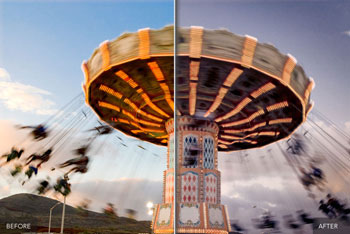
onOne says that the downloadable software is unique to the Marketplace and is not sold as part of its packaged commercial products. The presets produce interesting and occasionally photographic effects, such as the look of vintage instant film, that can be applied with one click.
Many of the presets have been designed by professional photographers, such as Stacy Pearsall, Nicole Young, Fred Marcus Photography, and the guys from NAPP including Scott Kelby. Other preset effects include Signature Grunge Pack (free) and soft-edged Reverie Presets by Stacy Pearsall ($9.95).
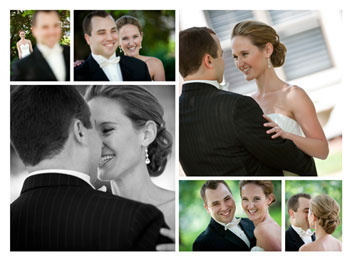
The templates provide themed layouts for photography albums and prints for a variety of occasions, such as weddings and graduations as well as baby and family portraits. Available templates are for both multipage albums and single-page collage-style prints. Albums are mostly $89.95 while single-page prints are $9.95 or free.
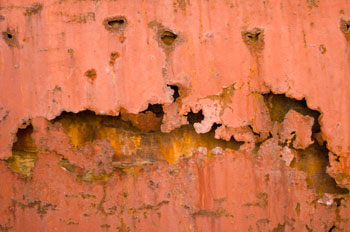
Backgrounds and textures range from postcard backgrounds (free) to Signature Metal Backgrounds ($14.95).
This article was last modified on February 23, 2012
This article was first published on February 23, 2012
Commenting is easier and faster when you're logged in!

Recommended for you

Using Photoshop’s Generative Fill to Remove Objects
Learn how to simply remove items from an image in Photoshop, without extra conte...

How to Adjust Colors in Photoshop Using Hue and Saturation
Learn how to manipulate an image’s colors using Photoshop’s Hue and Saturation s...

How to Turn a Photo into Graffiti in Photoshop
Create a spray-painted masterpiece in Photoshop with Steve Caplin.