




Total Training has many more titles like this one. Click here to learn more.
The Lens Blur filter in Photoshop CS lets you add selective focus to an image to create interesting visual effects. Much like with a traditional camera, you can use it to create depth of field in an image.
The Lens Blur filter palette lets you experiment with different settings and see the results interactively before committing to an effect.
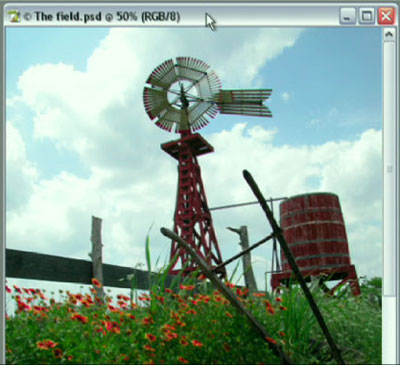
In this video clip, Photoshop expert Deke McClelland takes you inside the Lens Blur palette to show you how it works.
This video tutorial is a QuickTime movie. Click this link “Photoshop CS Lens Blur” to download the file. Please note: This is a 9.5MB file. It will take some time to download before it begins to play.
If you do not have QuickTime installed, you can get it here:

Excerpted from “Total Training for Adobe Photoshop CS” © 2004 Total Training ALL RIGHTS RESERVED.
This article was last modified on January 3, 2023
This article was first published on September 10, 2004
Commenting is easier and faster when you're logged in!

Recommended for you

How to Turn a Photo into Graffiti in Photoshop
Create a spray-painted masterpiece in Photoshop with Steve Caplin.

Using Photoshop’s Generative Fill to Remove Objects
Learn how to simply remove items from an image in Photoshop, without extra conte...

How to Adjust Colors Using Photoshop’s Contextual Task Bar
Learn how to use the Photoshop Adjust Colors feature to make quick, non-destruct...