



Hey folks, it’s time for another InDesign mystery that you can solve for a chance to win an awesome prize!
Here’s the scenario:
You open a file created by another designer and come across an unusual page in the layout. On that page is a single text frame, with some text set in black, and some in white. Beneath the text frame is a circular frame with another frame pasted into it so it looks like an evil eye. And even though this evil eye is not a text frame, text appears to flow inside it.
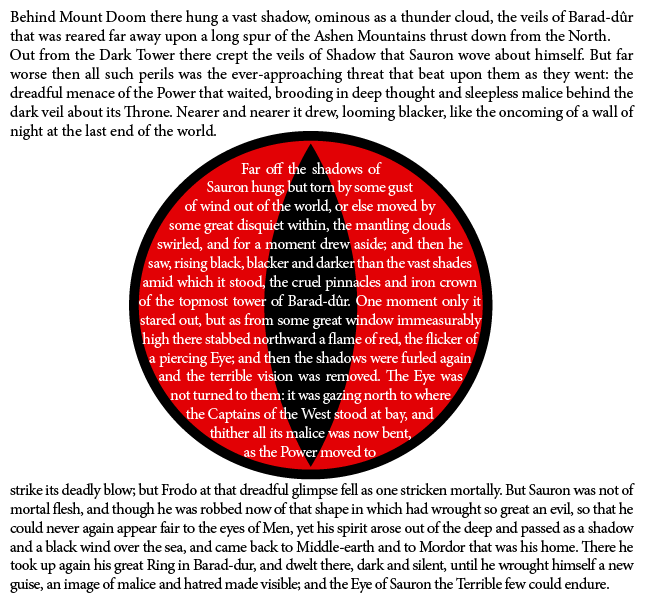
Wherever you move the eye on the page, it attracts text like a magnet.
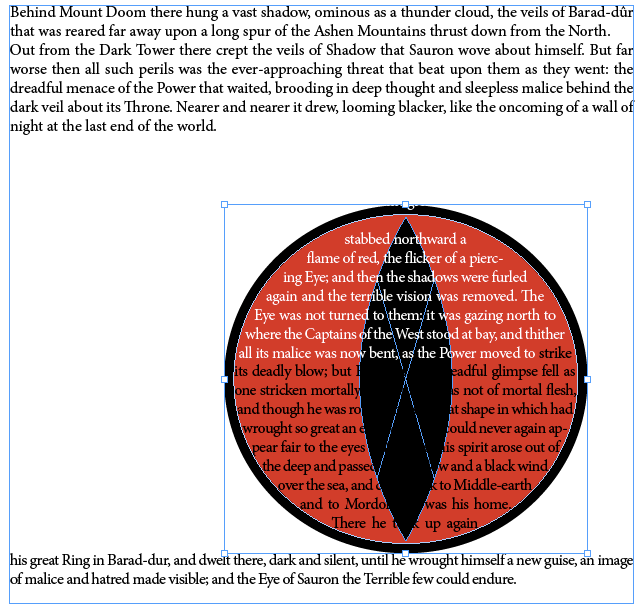
What strange force is causing text to appear inside the evil eye?
This month’s prize is 3 months access to videos of any 2 days of CreativePro Week 2018!
The winner will be chosen at random from all the correct answers I receive before October 25, 2018
Enter now by emailing your solution to mike at indesignsecrets.com
Note: Comments are closed on this post so no one gives away the answer. Good luck!
This article was last modified on July 25, 2019
This article was first published on October 18, 2018
Commenting is easier and faster when you're logged in!

Recommended for you

Opinion: InDesign’s Auto-generate Alt Text Feature Needs to Change
How it might damage your accessibility workflow and how it can be fixed

How to Export Videos in Different Aspect Ratios from Premiere
Quickly reframe your video for any social media platform with Myra Ferguson.

Why Your Print Workflow May Be Stuck in the Past
A Conversation with Adobe’s Mark Lewiecki on PDF best practices for print