



This tutorial is courtesy of the Russell Brown Show.
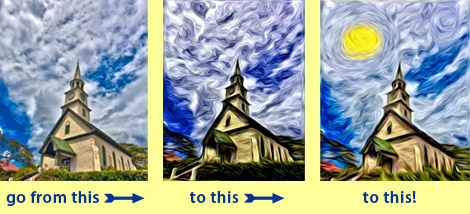
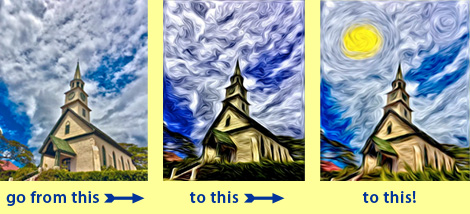
Pixel Bender, a set of plug-ins that’s compatible with Photoshop CS5, includes many filters that take your images in new directions. But in this tutorial, you’ll learn how to go even further, transforming the oil paint filter beyond its stock results and creating a unique piece of art.
Download Pixel Bender from Adobe Labs.
Don’t have Photoshop CS5? Download the free trial.
To open the QuickTime tutorial video in a separate window, click the screenshot below:
To view the video on an iPhone or iPad, click here.
This article was last modified on September 27, 2010
This article was first published on September 27, 2010
Commenting is easier and faster when you're logged in!

Recommended for you

Using Photoshop’s Generative Fill to Remove Objects
Learn how to simply remove items from an image in Photoshop, without extra conte...

How to Turn a Photo into Graffiti in Photoshop
Create a spray-painted masterpiece in Photoshop with Steve Caplin.

How to Adjust Colors Using Photoshop’s Contextual Task Bar
Learn how to use the Photoshop Adjust Colors feature to make quick, non-destruct...