



This excerpt is from Adobe® Photoshop® CS4 Classroom in a Book. Used by permission of Adobe Press. Copyright © 2008. Part of the Creative Edge Photoshop Resources Page.
Exclusive access for development.creativepro.com readers provided by:

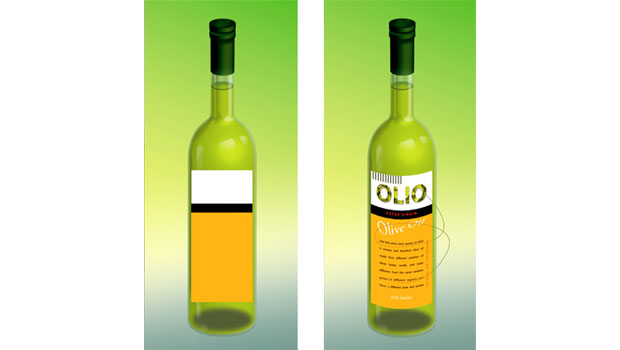
In this tutorial, you’ll work on the layout for the label of a bottle of olive oil. You’ll start from an illustration of a bottle, then add and stylize type in Photoshop. By the time you’re finished, you’ll have mastered the following skills:
• Using guides to position text in a composition.
• Making a clipping mask from type.
• Merging type with other layers.
• Using layer styles with text.
• Previewing typefaces interactively to choose them for a composition.
• Controlling type and positioning using advanced type panel features.
• Warping a layer around a 3D object.
To begin, download the compressed folder “Lesson07.zip.” It contains the Photoshop files you’ll need for the tutorial.
development.creativepro.com readers have special access to this entire tutorial on the Creative Edge website. Click here to read “Design a 3D Bottle Label in Photoshop.”
This article was last modified on January 6, 2023
This article was first published on August 23, 2010
Commenting is easier and faster when you're logged in!

Recommended for you

Using Photoshop’s Generative Fill to Remove Objects
Learn how to simply remove items from an image in Photoshop, without extra conte...
Before&After: How to Use that Typeface
That font you just learned about won’t work just anywhere; it has a style that n...

How to Adjust Colors Using Photoshop’s Contextual Task Bar
Learn how to use the Photoshop Adjust Colors feature to make quick, non-destruct...